


YouCam Video Editor & Retouch

Hot Novels




Install Tips
Mobile safety & integrity report for the latest package. We provide verifiable checksums and a timestamped scan summary. Latest package YouCam Video Editor & Retouch 1.57.2 scanned by multiple engines; no threats detectedas of Tue, 28 Jul 2026 12:17:02 GMT.
After downloading, use a system or third-party checksum tool to calculate the SHA256 and ensure it matches the value provided on this page (case-sensitive, without spaces).
Each engine uses different signature databases and heuristics, so results may vary slightly. We provide a timestamp and checksum to allow you to independently verify the package.
YouCam Video Editor & Retouch Review
◇◇◇
The Best New Apps We Loved
on Google Play ◇◇◇
Create refined selfie videos like a movie with pro retouch & makeup tools in less than a minute with YouCam Video, your best video selfie editor!
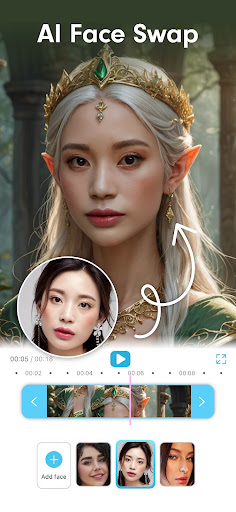
YouCam Video is the world’s first selfie video editing app for you to apply makeup & retouch selfie videos of any length. Retouch eyes, lips, nose and more on videos, add video effects, and makeup including eyeshadow, lip color, eyelashes and more. YouCam Video is your one stop tool to edit pro selfie videos!
🖼️
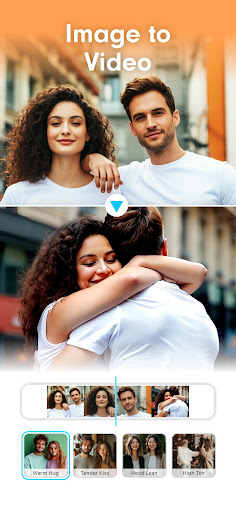
New! Transform Photos with Image-to-Video
◇ Bring still images to life with AI-powered animation
◇ Add movement, effects, and storytelling magic to your favorite photos
◇ Perfect for turning memories into stunning short videos in seconds
💄
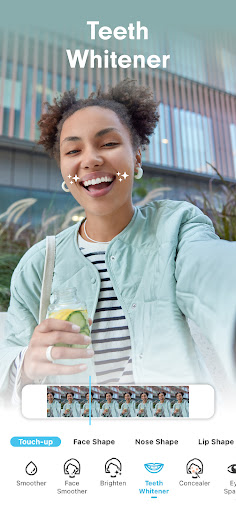
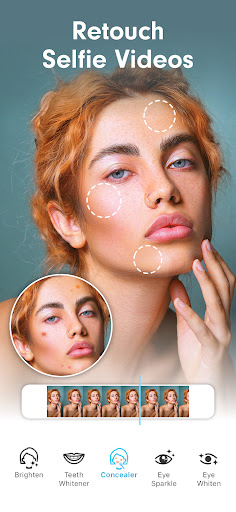
Retouch & Reshape Your Selfie Videos Easily & Quickly
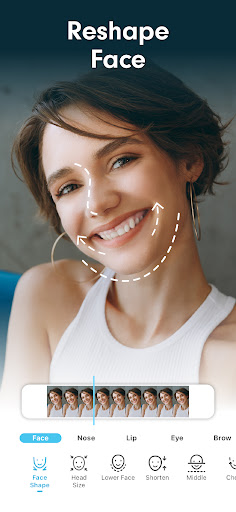
◇ Reshape Face - face slimming & cheekbone reshaper, chin, jaw & forehead ◇ Reshape Nose - adjust nose size, bridge, length, and tip - instantly!
◇ Eye Editor - increase or decrease eye size in a snap
◇ Reshape Lip - Adjust size to get plumper fuller lips
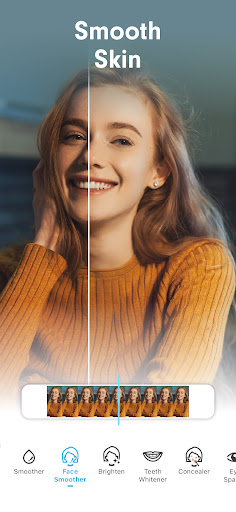
◇ Smooth Skin - fine-tune skin to remove pimples, acne, blackheads, wrinkles, spots, dark circles, & blemishes
◇ Face Paint - Apply cute sticker art to your face!
🤖
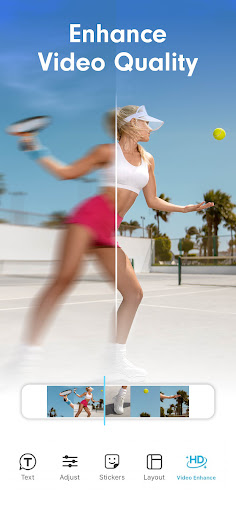
Enhance Video Quality with AI
◇ Enhance video quality with just one tap
◇ Make your videos shine for crystal-clear quality and better resolution.
◇ Customizable quality enhancements: brightness, saturation, contrast & highlight
🌈
Edit Videos & Clips with 100+ Makeup & Video Effects
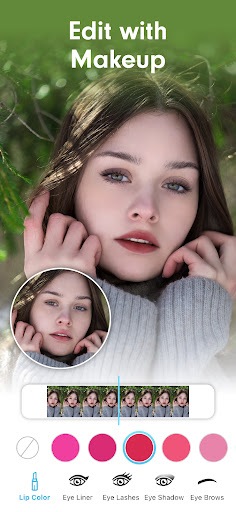
◇ Edit videos with an instant makeover including lipstick, eye shadow, eyebrows, eyelashes, eyeliner, full look & more
◇ Level-up your selfie videos with hundreds of lip colors
◇ Easily apply different styles of eyeshadow & colors on your videos
◇ From cute to dramatic, get your own style with a range of eyeliner & lash styles
◇ Dive into the eyebrow editor for tons of shapes and colors
🎨
Apply True-to-Life Hair Color to your videos
◇ Play hair color games on selfie videos with the most realistic hair dye tool
◇ Find your favorite hair color & effects in real-time for that perfect edit
*Please Note: Hair color is not supported on mobile devices that: -RAM less than 2GB -Android version less than 8.0 -CPU: number of cores less than 8, max frequency < 2GHz
🔍
Powerful Editing, Super Easy-to-Use & Share
◇ Upload & edit videos in a few taps
◇ Choose video orientation: portrait, landscape, or square.
◇ Crop, zoom & edit selfie videos for the perfect fit
◇ Compare your selfie videos before & after edits
◇ Edit and share on your favorite social media platforms
YouCam Video Premium Version Upgrade to YouCam Video Premium for unlimited access to
:
◇ No limit to video length you want to edit
◇ Exclusive makeup & collections, including eyeliner & eyelashes.
◇ Unlimited use of beautify tools including Eye Tuner, Face, Lip & Nose Shaper.
◇ Single color or ombre hair editing
◇ Remove watermarks
Contact Us
Perfect Corp. would love to hear your suggestions and feedback! Please continue to send questions, suggestions and ideas to: YouCamVideo_android@perfectcorp.com
Visit us: https://www.perfectcorp.com/consumer/apps/ycv Get more selfie Video editing inspo: https://www.perfectcorp.com/consumer/blog
Like us: https://www.facebook.com/youcamapps/
Additional information
Screenshots
Reviews
Recommend Article






Similar Apps

The application of PROTV is a new world of entertainment.
Generate Ai Caption, Subtitle, Trendy Hashtag & Video Teleprompter for Instagram
Movie maker & video editing app with AI effects and green screen
Video player, file manager for all formats, 4K/HD media player supports subtitle

Explore the largest library of free GIFs, Stickers & Memes - or create your own!

Generating high-quality videos using ChatGPT and DALL-E 3 technology