


Captions Ai: Videos Subtitles

Hot Novels






Install Tips
Mobile safety & integrity report for the latest package. We provide verifiable checksums and a timestamped scan summary. Latest package Captions Ai: Videos Subtitles 2.8 scanned by multiple engines; no threats detectedas of Tue, 28 Jul 2026 11:55:23 GMT.
After downloading, use a system or third-party checksum tool to calculate the SHA256 and ensure it matches the value provided on this page (case-sensitive, without spaces).
Each engine uses different signature databases and heuristics, so results may vary slightly. We provide a timestamp and checksum to allow you to independently verify the package.
Captions Ai: Videos Subtitles Review
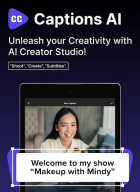
🚀 AI Video Editor with Auto AI Captions & Subtitles – The AI Tool for Social Media Creators & Influencers! 🎥✨
Want to create professional-quality videos with captions and subtitles in just a few taps? This AI-powered video editor makes it easy to edit videos, generate auto captions & add subtitles effortlessly. Whether you're making for Instagram Reels captions, TikTok videos, YouTube Shorts, or vlogs, this app ensures perfectly synced captions & subtitles to enhance engagement.
🌟 Key Features:
🎬 AI Video Editor – Powerful video editing tools to trim, cut, merge & enhance videos.
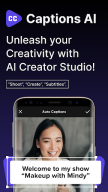
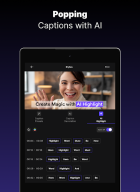
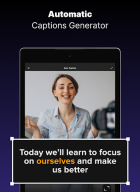
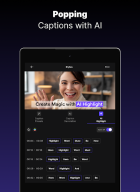
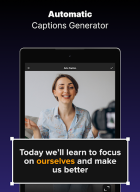
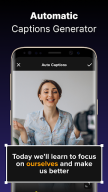
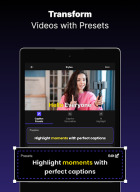
💬 AI Captions & Subtitles – Auto-generate captions & subtitles with Caption AI speech recognition.
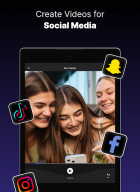
📝 Reels & Video Captions – Create stylish captions & subtitles for social media videos.
🎥 Teleprompter for Video – Read scripts smoothly while recording high-quality videos.
🎙 Teleprompter Video Mode – Perfect for vlogs, presentations, & professional content creation.
📜 Teleprompter & Captions – Easily add captions while using a teleprompter.
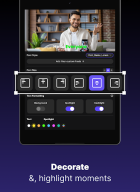
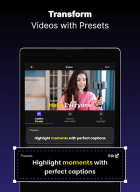
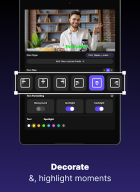
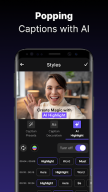
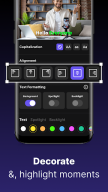
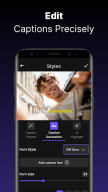
🎨 Customizable Fonts & Text Effects – Add animated captions & subtitles to your videos.
🔥 Trending Filters & Stickers – Enhance your videos with cinematic effects.
📢 AI-Generated Hashtags – Boost reach with trending hashtags for TikTok, Instagram & YouTube.
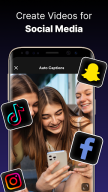
📲 Optimized for Social Media – Export high-quality videos for TikTok, Instagram Reels, YouTube Shorts & Stories!
🎯 Why Choose This AI Video Editor?
✅ AI-Powered Editing – Smart AI captions & subtitles for quick video creation.
✅ Video Captions & Reels Captions – Perfectly synced captions & subtitles for maximum impact.
✅ Watermark-Free HD Export – Create high-quality videos without branding.
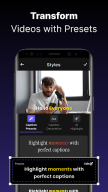
✅ Creative Text Templates – Premade fonts and styles for captions & subtitles.
✅ AI Hashtag Generator – Improve discoverability with smart hashtag recommendations.
✅ Auto Caption Integration – Seamlessly generate AutoCap captions for enhanced engagement.
✅ Teleprompter Video Recorder – Improve video quality with built-in teleprompter.
🎥 Perfect for Content Creators, TikTok, Instagram or YouTube Influencers & Businesses!
Whether you're making TikTok videos, Instagram Reels, vlogs, or ads, this video maker gives you everything you need to edit, caption, subtitle & share viral videos quickly and easily!
If you’ve tried tools for captions, video editing, subtitle automation, AI-powered text, or stylish Reels captions, you’ll love the advanced features our app offers!
Many video creators who rely on captions, subtitles, & professional video editing have used. Now, you can get all those features in one AI-powered video editor designed for effortless video editing, captions, & subtitles!
📌 How to Use:
1️⃣ Import or record a video.
2️⃣ Edit with AI Video Editor tools: trim, cut, add music & effects.
3️⃣ Auto-generate captions & subtitles using CaptionAI.
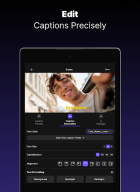
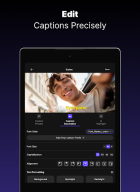
4️⃣ Customize Reels Captions & video captions with unique fonts.
5️⃣ Use the teleprompter for video while recording high-quality content.
6️⃣ Export in HD & share on TikTok, YouTube Shorts, Instagram Reels, and Stories!
✨ Download now & start creating trending videos with AI Captions & Subtitles! 🚀
For any questions or requests, please use our customer support: feedback@pixsterstudio.com.
📜 Privacy Policy: https://pixsterstudio.com/privacy-policy.html
📄 Terms of Use: https://pixsterstudio.com/terms-of-use.htm
Disclaimer:
CaptionsAI is an independent application and is not affiliated with, endorsed by, or associated with any other app or their parent companies, including but not limited to Instagram, Facebook, Twitter (X), YouTube or TikTok.
All trademarks, logos, and brand names mentioned in this app and its description are the property of their respective owners. Any references to these app are made purely for descriptive and referential purposes to explain the app’s functionality and are not intended to imply any official association or partnership.
Additional information
Screenshots
Reviews
Recommend Article









Similar Apps

🤣🤣🤣Watch and create your short videos

Sohu video watching TV

Install Now!!! HD Movies without registration to use this application.

Connects you with family through real-time video and audio anytime and anywhere

Play HD videos, manage files, and cast content seamlessly.

Quick, precise motion tracking and stabilization