

Video Editor

Hot Novels






Install Tips
Mobile safety & integrity report for the latest package. We provide verifiable checksums and a timestamped scan summary. Latest package Video Editor 8.43.0(466) scanned by multiple engines; no threats detectedas of Tue, 28 Jul 2026 12:15:31 GMT.
After downloading, use a system or third-party checksum tool to calculate the SHA256 and ensure it matches the value provided on this page (case-sensitive, without spaces).
Each engine uses different signature databases and heuristics, so results may vary slightly. We provide a timestamp and checksum to allow you to independently verify the package.
Video Editor Review
Capture, edit and share incredible videos - anywhere, anytime - for your personal life, school work, and your business with WeVideo’s video editor for Android.
With WeVideo and your mobile device, you don’t need to be a professional to create and share compelling, high-quality videos.
EASY-TO-USE VIDEO EDITOR:
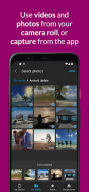
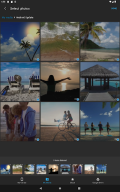
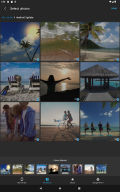
• Use videos and photos from your camera roll on your phone, or capture them from your camera
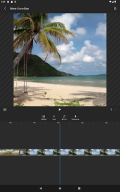
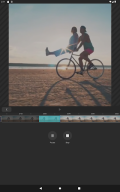
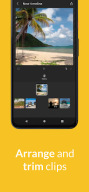
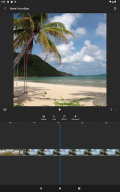
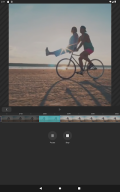
• Arrange and trim clips
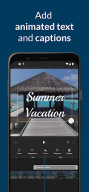
• Add text titles and captions
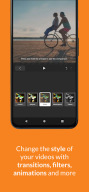
• Change the style of your videos with transitions, filters, animations, and more
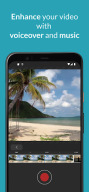
• Enhance your video with voiceover and music tracks
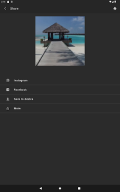
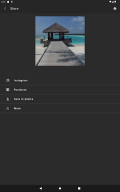
• Share to TikTok, Snapchat, Instagram, and other social media channels
FEATURES
• EASY ACCESS AND CAPTURE
Access photos and videos from your photo library or capture them from your device’s camera
• CUT AND TRIM
Trim video clips and arrange them in the order you want
• TEXT TITLES AND CAPTIONS
Emphasize key points by adding text titles and captions
• AUDIO: MUSIC, SOUND EFFECTS, AND VOICEOVER
Enhance your video with voiceover narration, music tracks, and sound effects*
• EXTENSIVE CONTENT LIBRARY*
Leverage the WeVideo stock library that includes:
⁃ Royalty-free video clips
⁃ Royalty-free music tracks
⁃ Royalty-free photos and illustrations
⁃ Motion titles
⁃ Transitions
⁃ Font
⁃ Filters
• STUNNING VIDEO EFFECTS
⁃ Photo animations - Use the Ken Burns effect to make photos come alive
⁃ Remove the WeVideo watermark (paid plans)
• EASY TO STORE, EXPORT, PUBLISH AND SHARE
⁃ Publish your videos in up to 4K Ultra HD*
⁃ Format your videos in vertical or landscape (9:16, 1:1, 16:9) for easy viewing on any device
⁃ Save to your device or store in the cloud*
⁃ Share directly to social media sites like:
TikTok
Snapchat
* Dependent on your plan type
Love the WeVideo video editor?
Like us on Facebook: http/www.facebook.com/wevideo
Follow us on Twitter: http://twitter.com/wevideo
Privacy policy: https//www.wevideo.com/privacy
Terms of use: https://www.wevideo.com/terms-of-use
Changelog
We've added the ability to list, rename, and delete web projects from your mobile device. Plus, you can now upload media directly to them!
Additional information
Screenshots



Reviews
Recommend Article











Similar Apps

Sohu video watching TV

Receiver for the Web Video Caster mobile app

Fast URL video player
Extract high-quality photos from videos with precision tools.
Generate Ai Caption, Subtitle, Trendy Hashtag & Video Teleprompter for Instagram

Easily discover, watch, and stream your favorite movies and shows in one place