


Tactacam REVEAL

Hot Novels






Install Tips
Mobile safety & integrity report for the latest package. We provide verifiable checksums and a timestamped scan summary. Latest package Tactacam REVEAL 5.6.1 scanned by multiple engines; no threats detectedas of Tue, 28 Jul 2026 12:13:36 GMT.
After downloading, use a system or third-party checksum tool to calculate the SHA256 and ensure it matches the value provided on this page (case-sensitive, without spaces).
Each engine uses different signature databases and heuristics, so results may vary slightly. We provide a timestamp and checksum to allow you to independently verify the package.
Tactacam REVEAL Review
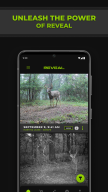
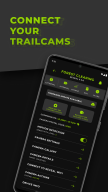
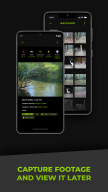
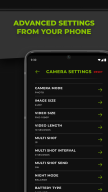
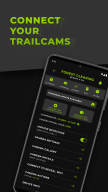
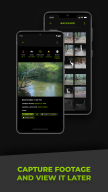
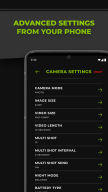
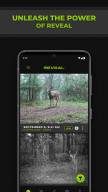
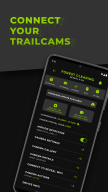
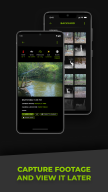
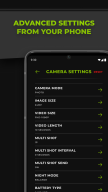
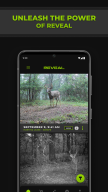
Unlock the power and clarity of remote cellular transmission through the Tactacam REVEAL mobile app. Experience complete mastery over your REVEAL cellular cameras by viewing galleries, sharing feeds, adjusting settings, and reviewing critical stats, all from the comfort of your home. With the Tactacam REVEAL mobile app, release the power of your REVEAL and keep watch over the outdoors.
How to Connect:
1. Download the REVEAL app and create your account
2. Follow screen prompts to set up a data plan
3. Scan your REVEAL camera QR code to activate and connect
4. Place your REVEAL camera in its monitoring location
Features:
- Effortless setup and activation
- Manage multiple cameras remotely
- Convenient visibility of billing history
- View and organize photo and video galleries
- Monitor camera health and stats
- Share and receive photo feeds with others
- Available on-demand photo capture
Additional information
Screenshots
Reviews
Recommend Article











Similar Apps

Disposable cam, Analog Digicam,Polaroid Filter,35mm vhs dazz effect photo editor

Cartoon me and caricature app creates cartoon yourself in fun toon picture app!

Share photos from your smartphone to a Frameo WiFi digital photo frame

Photo Editor is a small but powerful photo editing application

AI Voice-Powered Photo Editing Agent,AI Filter,Photo Enhancer,AI Video Generator

Film Simulation Camera in a wide Panoramic format