

Screen Recorder Video Recorder

Hot Novels






Install Tips
Mobile safety & integrity report for the latest package. We provide verifiable checksums and a timestamped scan summary. Latest package Screen Recorder Video Recorder 4.6.9 scanned by multiple engines; no threats detectedas of Tue, 28 Jul 2026 12:11:45 GMT.
After downloading, use a system or third-party checksum tool to calculate the SHA256 and ensure it matches the value provided on this page (case-sensitive, without spaces).
Each engine uses different signature databases and heuristics, so results may vary slightly. We provide a timestamp and checksum to allow you to independently verify the package.
Screen Recorder Video Recorder Review

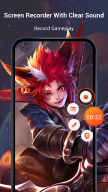
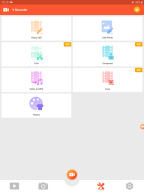
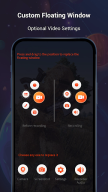
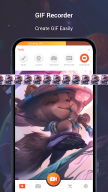
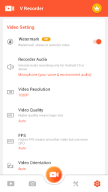
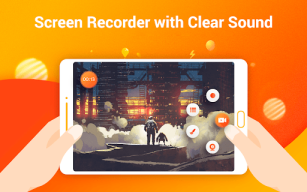
Screen Recorder Video Recorder APK is a versatile tool designed for capturing your Android device’s screen with ease. Whether you’re creating app tutorials, recording gameplay, or saving video calls, this app provides HD screen recording capabilities without time limits or the need for root access. Its user-friendly interface ensures quick and hassle-free operation, allowing you to start recording with just one tap.
Advanced Video Editing Features
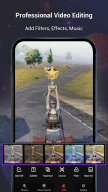
This app goes beyond simple screen recording by offering a robust suite of editing tools. You can trim, rotate, and compress recorded clips without losing quality. Add trendy filters, themes, or stickers to personalize your videos and make them stand out. The built-in audio editor allows voiceovers and sound effects integration, while speed control lets you adjust video playback speed effortlessly. With options like text editing and the Magic Brush feature, users can create unique content tailored to their needs.
Enhanced Functionality with AI Assistance
Screen Recorder Video Recorder APK incorporates smart AI features to elevate your video creation experience. Its AI-powered image analysis helps extract text from screenshots and analyze content efficiently. Furthermore, the app includes AI noise reduction technology that enhances audio clarity by minimizing background noise—perfect for recording tutorials or commentary.
Effortless Sharing and Compatibility
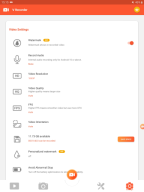
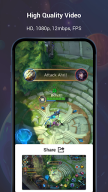
The app ensures smooth sharing of your creations with friends or social media platforms directly from your device. It supports HD video output up to 1080p at 60fps for professional-grade results. Compatible with Android 5.0+ devices, it also enables external monitor recording for advanced users operating on Android 16 or later versions.
Disclaimer: This application is designed solely as a tool for personal use in studying and creating content. Users are advised to adhere to copyright regulations when using this application to record media.
FAQ
Additional information
Screenshots


Reviews
Recommend Article









Similar Apps

Vont is a simple app that allows you to add text to videos.

Create Stunning Videos: AI Editor with Music, Effects, Merge & Slowmo

Sohu video watching TV

Cut, Trim, Crop any format of video. Apply Filters, add Texts with video editor.

Enjoy your favorite videos and channels with the official YouTube app.

AI-Powered Video Translation and Dubbing in Seconds