


AI Video Editor - Vidma Cut AI

Hot Novels





Install Tips
Mobile safety & integrity report for the latest package. We provide verifiable checksums and a timestamped scan summary. Latest package AI Video Editor - Vidma Cut AI 2.24.0 scanned by multiple engines; no threats detectedas of Tue, 28 Jul 2026 11:52:38 GMT.
After downloading, use a system or third-party checksum tool to calculate the SHA256 and ensure it matches the value provided on this page (case-sensitive, without spaces).
Each engine uses different signature databases and heuristics, so results may vary slightly. We provide a timestamp and checksum to allow you to independently verify the package.
AI Video Editor - Vidma Cut AI Review

Vidma Cut AI is a powerful and intuitive music video editor and video maker, designed for creators who want to produce high-quality, engaging videos for Instagram, TikTok, Facebook, and more. With a rich collection of trendy effects, Ghibli-inspired art styles, music tracks, and cinematic filters, Vidma helps your videos stand out and capture your life moments in style.
All-in-One Video Editing & Music Video Creation
1. Powerful Video Editing Tools
Trim, split, merge, duplicate, and crop videos with precision.
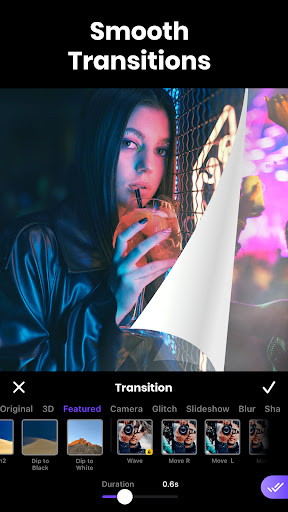
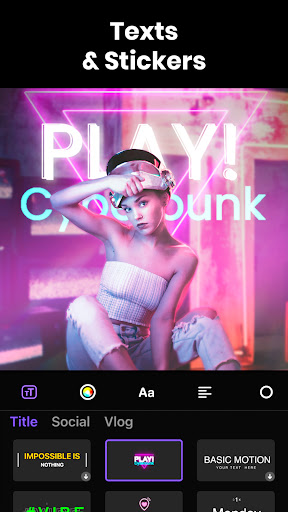
Multi-track editing to add overlays, stickers, text, and transitions.
Undo/redo edits and save drafts for flexible workflow.
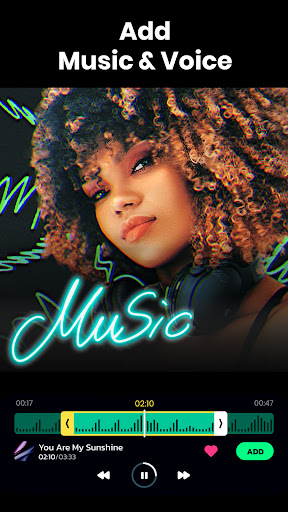
2. Add Music & Sound Effects
Choose from over 1,000 high-quality songs for your videos.
Extract audio from videos, edit, trim, and add voiceovers.
Apply fade-in/out effects and voice transformations for professional audio.
3. Stunning Video Effects & Filters
Cinematic filters and effects like Glitch, Motion Blur, Retro, VHS, 90s, D3D.
Adjust saturation, brightness, contrast, temperature, vignette, and exposure.
Make your footage more cinematic with color grading options.
4. Background Editing & Slideshow Creation
Crop, scale, or adjust aspect ratios for portrait, landscape, or square formats.
Change video backgrounds with plain colors, gradients, or stylish patterns.
Create slideshows using pre-designed templates and imported media.
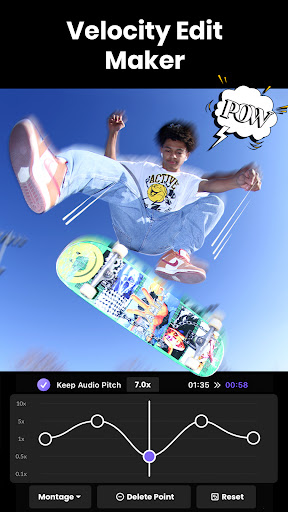
5. Velocity & Motion Effects
Apply speed ramping, slow motion, or reverse video clips.
Maintain audio pitch while changing video speed.
Sync clips to music beats for dynamic video effects.
6. Advanced Professional Editing
Remove backgrounds from videos with BG Removal tool.
Apply keyframes to animate images and video clips.
Use Chroma Key to replace green-screen backgrounds.
Blend multiple video layers and overlay clips seamlessly.
Freeze-frame effect for dramatic storytelling in one tap.
7. Movie Maker & Media Library
Access millions of royalty-free images and videos.
Search high-quality media for inspiration or inclusion in your projects.
Combine assets quickly for creative storytelling.
8. Export & Share in High Quality
Save videos in up to 4K resolution without losing quality.
Resize videos for social media platforms easily.
Share your creations directly to Instagram, TikTok, Facebook, or save offline.
Vidma Cut AI is ideal for TikTok creators, Instagram Reels editors, or anyone wanting to create professional-grade videos with music, effects, and cinematic flair — all in one app.
Why Choose Vidma Cut AI
Simple interface with professional editing tools.
Trendy effects and filters to make videos stand out.
Music and sound editing in one app.
Supports social media-ready video formats.
No advanced technical skills required, suitable for beginners and pros.
FAQ
Additional information
Screenshots


Reviews
Recommend Article










Similar Apps

🤣🤣🤣Watch and create your short videos

AI Video Generator – Virbo (Wondershare) — turn a still photo into a face that talks

Kwai Official Video Editing Tool

Exploring Love Together

A Pro Video Editing Tool for Mobile & Chromebook

Fast URL video player