


Brevent

Hot Novels






Install Tips
Mobile safety & integrity report for the latest package. We provide verifiable checksums and a timestamped scan summary. Latest package Brevent 4.2.27(531) scanned by multiple engines; no threats detectedas of Tue, 28 Jul 2026 11:55:03 GMT.
After downloading, use a system or third-party checksum tool to calculate the SHA256 and ensure it matches the value provided on this page (case-sensitive, without spaces).
Each engine uses different signature databases and heuristics, so results may vary slightly. We provide a timestamp and checksum to allow you to independently verify the package.
Brevent Review
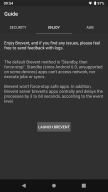
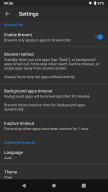
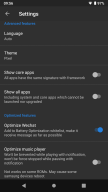
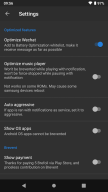
Brevent, black prevent, can app-standby (since Android 6.0, not supported on some devices) or force-stop apps without root, prevent apps from running in long time.
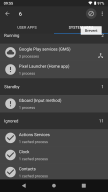
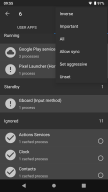
Brevent never brevent apps not in Bervent list. If apps are launched then quit (tapping Back or so), Brevent will app-standby them; if apps timed out in standby, or swiped from recents screen, Brevent will force-stop them. Whenever apps are running without activity, Brevent will force-stop them.
Apps in Brevent list can be set "allow sync" to receive notifications or do sync jobs. Brevent won't standby "allow sync" apps, and Brevent won't force-stop "allow sync" apps with notifications or running in background.
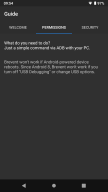
Brevent supports Android 6 to Android 15, requires "USB debugging" or "Wireless debugging" (since Android 11) in "developer options".
In Android 8 - Android 10, Brevent won't work if debugging is off or USB option is changed. If debugging turns off when you unplug the cable, please change USB option. Normally, it's OK to keep USB option as default.
For command, please visit https://brevent.sh
Additional information
Screenshots
Reviews
Recommend Article











Similar Apps

Aurora Store (fdroid version) APK

Organize your calls, schedule, patients, service locations

Tool to debug, dissect, shell into and control Android device or TV via USB/WiFi

A More Private Internet

AI PDF Reader & PDF Converter to Read, Summarize and Convert PDF Files with Ease

This is a One Click Root [UI] App, Click And Root! Fast And Easy! Click to root!