


ACE Scanner - PDF Scanner App

Hot Novels






Install Tips
Mobile safety & integrity report for the latest package. We provide verifiable checksums and a timestamped scan summary. Latest package ACE Scanner - PDF Scanner App 1.4.3.110 scanned by multiple engines; no threats detectedas of Tue, 28 Jul 2026 11:52:23 GMT.
After downloading, use a system or third-party checksum tool to calculate the SHA256 and ensure it matches the value provided on this page (case-sensitive, without spaces).
Each engine uses different signature databases and heuristics, so results may vary slightly. We provide a timestamp and checksum to allow you to independently verify the package.
ACE Scanner - PDF Scanner App Review
ACE Scanner is a
free
PDF scanner app!
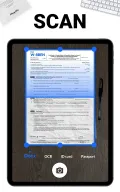
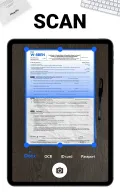
This simple scanner app uses your mobile device camera to quickly scan documents.
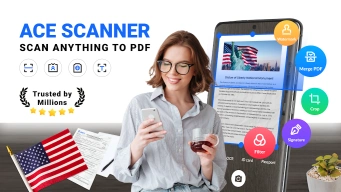
You can use it to scan, import, and convert documents and images, and share as PDF/JPG
with just one click
!
WHY CHOOSE ACE Scanner:
1. Quickly Scan Any Documents to PDFs
With just one single tap, ACE Scanner - document scanner can quickly scan and convert all kinds of documents -
receipts, notes, documents, invoices, photos, business cards, certificates, whiteboards, etc.
You can print out the scan results right away via Cloud Print with Doc Scanner.
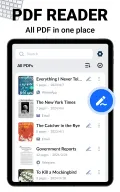
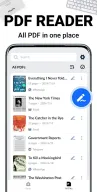
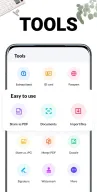
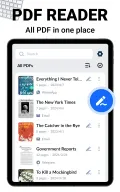
2. Powerful PDF Reader & PDF Manager
✔️Auto scan all your PDF files and display in a clear list
✔️Quickly open and read PDFs
✔️Easily manage PDFs: copy, rename, draw, sort by date or name, etc.
✔️Choose search categories (Folders, Docs, etc.) to quickly find what you need
3. High Quality Scanning Results
Documents processed by this PDF scanner are sharp, clear, and high-resolution, thanks to the precise edges detection,
smart cropping
, and
auto-enhancement
features. This scanner app also provides multiple filters - Docs, Image, Enhance, Black & White, etc. - to further optimize the scanning results.
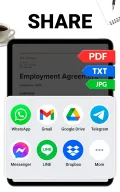
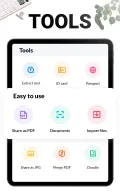
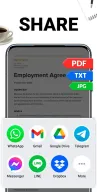
4. One-Click Sharing
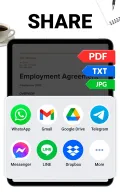
You can easily share scanned files
in PDF or JPEG formats
with your friends via email, messaging apps, or post the documents on social media.
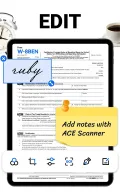
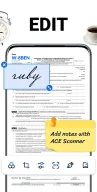
5. More Than Doc Scanner: Practical Documents Editing
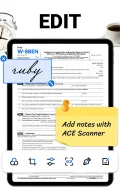
✔️Add/edit/delete any pages individually in the document
✔️Convenient document layout adjustment
✔️Multiple PDF page sizes (Letter, Legal, A4, etc.) to meet all needs
6. Add E-Signatures
Need to sign your signature on PDFs? ACE Scanner - Doc Scanner supports adding
electronic signatures
to scanned documents. Easily generate and send documents with your e-signature on your mobile device!
7. Custom Security Watermarks
You can quickly create custom anti-counterfeiting watermarks to protect your files. Adjust the text/size/transparency/color of the watermark as you prefer.
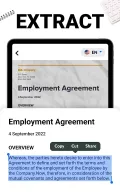
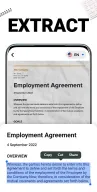
8. OCR Text Recognition
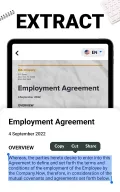
ACE Scanner - scanner app adopts OCR (Optical Character Recognition) technology to help you accurately
recognize text
on images or papers, and
export text
for later copying, editing, searching, and sharing.
9. Quick Search
Hard to find the target file among a bunch of files? Simply enter one keyword, the
quick search feature
of PDF Scanner will find the file you need among multiple folders. Besides, you can also
find texts in images and notes
in no time with the OCR search feature.
Now download ACE Scanner - a simple and
FREE PDF scanner
! Say goodbye to bulky file cabinets and enjoy a more productive life.
UPCOMING FEATURES:
👉Add Annotations
In the future versions, users can add annotations to the scanning results with the advanced editing feature. You can tag and review documents more effectively on your mobile device!
👉Lock Confidential Documents
Lock your confidential documents
with passwords
and share them securely. No one can open it without a password.
👉File Backup and Sync
ACE Scanner - document scanner allows users to
backup and sync
files to Google Drive, OneDrive, Dropbox, Evernote, etc. You can view, edit, and manage your files by simply logging in to your account on your smartphone, tablet, computer or any devices.
You can use ACE Scanner - document scanner to:
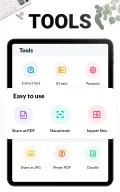
✔️Scan Business Card, Receipt, Invoice, and more for office use.
✔️Scan PPT, Note, Book, and more to improve learning efficiency.
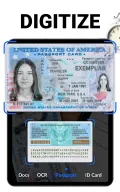
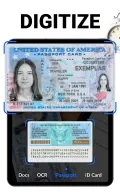
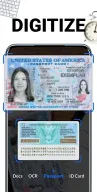
✔️Scan ID Card, Passport, Driver License, and other important certificates.
✔️Scan more: Tax Roll, Memo, Map, Paint, Travel Brochure, Manuscript...
PERMISSION REQUIRED:
* For users of Android 11 and above, All Files Access permission is required to access, manage, and edit all PDF files on your device.
Additional information
Screenshots
Reviews
Recommend Article







Similar Apps

The AI assistant that thinks with you - write, code, and solve complex tasks

Protect against viruses & other types of malware with PhoneMaster

Collaborate, organize tasks, and manage projects seamlessly with Trello.

Make habits quickly and effortlessly and track them in an easy-to-use interface.

Smartest AI assistant. Access multi-AI models & create your own assistants.

Structured habit tracker and planner with to-do timers that organize your day.