


Ascent: screen time & offtime

Hot Novels






Install Tips
Mobile safety & integrity report for the latest package. We provide verifiable checksums and a timestamped scan summary. Latest package Ascent: screen time & offtime 4.5.3 scanned by multiple engines; no threats detectedas of Tue, 28 Jul 2026 11:53:21 GMT.
After downloading, use a system or third-party checksum tool to calculate the SHA256 and ensure it matches the value provided on this page (case-sensitive, without spaces).
Each engine uses different signature databases and heuristics, so results may vary slightly. We provide a timestamp and checksum to allow you to independently verify the package.
Ascent: screen time & offtime Review
The main goal of Ascent is to build healthy phone usage habits in the long term. Ascent pauses distracting apps giving the ability to avoid procrastination loop from the start. App prevents undesired scrolling through news feeds and short videos. Instead Ascent allows to spend time on mindful working and creating.
Ascent is a powerful and intuitive app blocker that helps you stay focused and combat procrastination. With its advanced blocking and tracking features, Ascent makes it easy to take control of your time and achieve your goals.
Pause Exercise
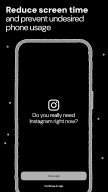
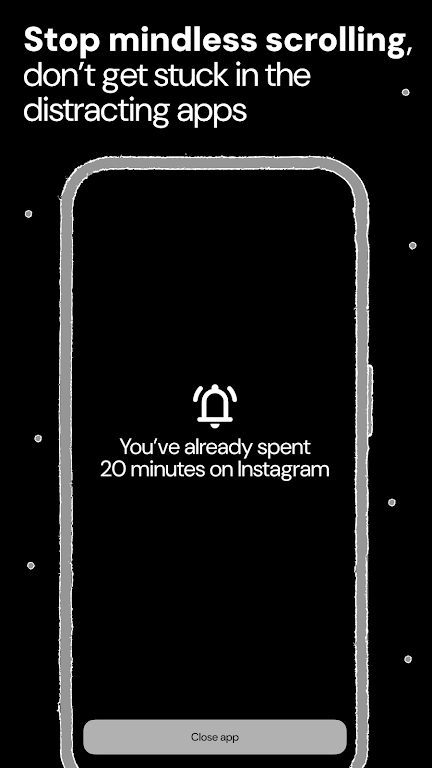
Ascent makes you take pause before opening a destructing app. Take your time to reflect on whether you really want to open it. You can choose to either close the app or continue using it. This feature helps you to avoid compulsive app opening and makes your phone usage more mindful and reasonable.
Focus Session
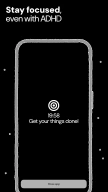
Focus Session elevates your productivity by creating a dedicated space with minimized distractions. It temporarily restricts access to specific apps, ensuring your attention stays on the task at hand. This feature helps you stay deeply engaged, promoting a state of flow and maximizing your efficiency.
App Limits
Set daily usage limits on apps and websites to automatically block them and prevent overuse.
Reminder
Reminder helps you regain control over your digital habits by guiding you away from time-consuming apps. Set reminders to activate the Pause Screen, nudging you to step back and break free from unhealthy screen time patterns, fostering a more balanced relationship with your digital environment.
Reels & Shorts Blocking
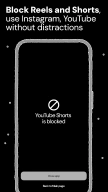
Completely block specific locations inside configured apps like Instagram Reels or YouTube Shorts to avoid distractions while using them. Using this feature, you will still be able to access the Instagram and YouTube app except the Reels and Shorts sections.
Websites Blocking
Limit websites usage by blocking specific links in your mobile browser.
Intentions
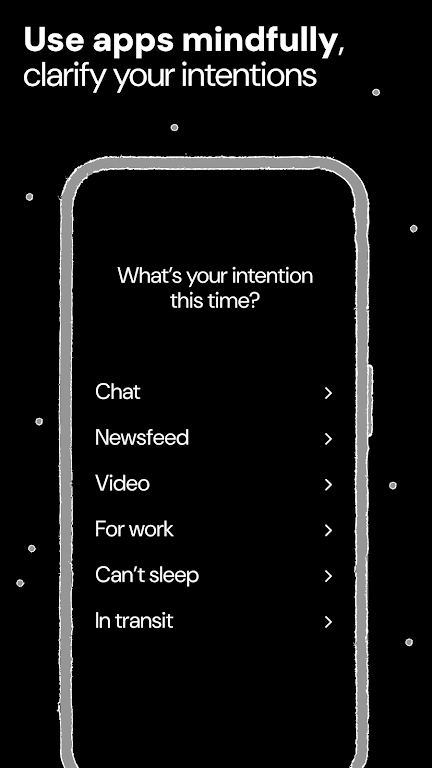
Intentions reshape your interaction with digital distractions by prompting you to pause and state your purpose before using potentially harmful apps. This feature turns impulsive screen time into a deliberate choice, helping you build a more mindful and intentional relationship with your digital habits.
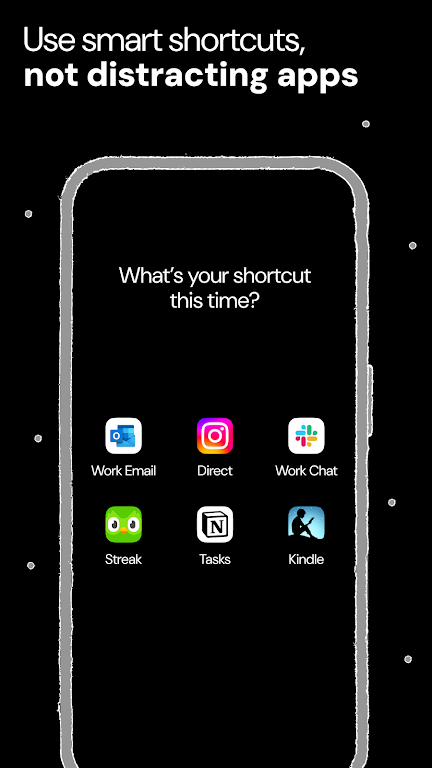
Shortcuts
Shortcuts transform your digital habits by letting you get more done with less taps, streamlining your workflow and minimizing interruptions. Arrange essential apps and links for quick access, so you can retrieve them when needed. By keeping your focus sharp and avoiding distractions, Shortcuts help you stay productive and intentional.
Bookmarks
Bookmarks transform your screen habits by shifting your focus from algorithmic content to what truly matters. Ascent helps you save bookmarks as valuable resources, providing a mindful alternative to chaotic feeds and integrating quality knowledge into your daily routine for a more meaningful and intentional digital experience.
Ascent makes it easy to set up custom blocking schedules and stay on track. You can choose to block apps for a specific period of time or during certain times of the day, and receive notifications when your blocking schedule is about to end or when you're approaching or exceeding your daily limits. This helps you stay aware of your habits and make positive changes to your daily routine.
Keywords: screen time, screen time control, screen time tracker, offtime, appblock, app blocker, block distractions, websites blocker, block apps/sites, enso, social media blocker, app limiter, self control, focus, stay focused, focus timer, one sec, productivity, opal, procrastination, stop scrolling, forest, pomodoro timer, cold turkey, cold turkey blocker
Accessibility Service API
This app uses the Accessibility Service API to detect and block user-selected applications. We do not collect personal information, all data stays on your phone.
Changelog
— Technical improvements.
Thank you for being part of the Ascent project. We are happy to help you block all your distractions, reduce your screen time and focus on what is really important to you!
Additional information
Screenshots
Reviews
Recommend Article










Similar Apps

Secure VPN Proxy Tool, Great Surf Privacy Protector.

Enjoy classic gameplay with customizable features and retro-style graphics.
Secure your apps with lock screens, use custom themes and different features.

HW CloudLink delivers crystal-clear video conferencing with smart scheduling, mobile optimization, and Huawei’s CloudVC ecosystem support.

Smartest AI assistant. Access multi-AI models & create your own assistants.

Local & Secure Email — Personal, Business, Calendar & Offline Access