

Outlook

Hot Novels






Install Tips
Mobile safety & integrity report for the latest package. We provide verifiable checksums and a timestamped scan summary. Latest package Outlook 5.2541.1 scanned by multiple engines; no threats detectedas of Tue, 28 Jul 2026 12:09:07 GMT.
After downloading, use a system or third-party checksum tool to calculate the SHA256 and ensure it matches the value provided on this page (case-sensitive, without spaces).
Each engine uses different signature databases and heuristics, so results may vary slightly. We provide a timestamp and checksum to allow you to independently verify the package.
Outlook Review

Microsoft Outlook helps you connect, organize, and manage your busy life all in one place. Stay on top of your day with a powerful and secure email and calendar app that integrates your messages, events, and files seamlessly. Whether for work, school, or personal use, Outlook ensures you remain productive and in control.
Smart Email Management
Organize your inbox intelligently with Outlook’s Focused and Other tabs, making it easy to see what matters most. Quickly clean up clutter using swipe gestures to delete, archive, or move messages. Flag or pin important emails for quick follow-up, and use Search or voice commands to find anything instantly.
Unified Inbox and File Access
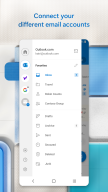
Access all your email accounts—Microsoft Exchange, Microsoft 365, Outlook.com, Gmail, Yahoo Mail, iCloud, IMAP, and POP3—in one secure place.
Attach files, documents, and photos directly from OneDrive, Word, Excel, PowerPoint, or your Gallery.
Access recent attachments and cloud-stored files right from your inbox.
Manage contacts, emails, and files efficiently with smart filters and folders.
Calendar and Scheduling Made Easy
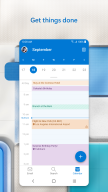
Keep your plans organized with side-by-side calendar views.
View multiple calendars at once and easily schedule meetings.
RSVP to invitations and send personalized comments directly from your inbox.
Create and join online video calls via Teams, Zoom, or Skype with one tap.
Stay updated with automatic travel and delivery updates added to your calendar.
Productivity and Task Management
Enhance your workflow with Outlook’s built-in intelligence tools:
Group related conversations for easier tracking.
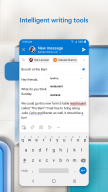
Use Suggested Replies to respond quickly.
Stay hands-free with Play My Emails, which reads your messages aloud.
Use voice search to find emails, attachments, or events.
Security and Privacy You Can Trust
Outlook protects your information with enterprise-grade security.
Built-in protection against viruses, phishing, and spam.
Email encryption prevents forwarding of sensitive messages (Microsoft 365 subscription required).
Manage and protect your personal data with trusted Microsoft security standards.
Compatibility and Accessibility
Microsoft Outlook is compatible with:
Microsoft Exchange
Microsoft 365
Outlook.com, Hotmail.com, MSN.com, Live.com
Gmail
Yahoo Mail
iCloud
IMAP and POP3
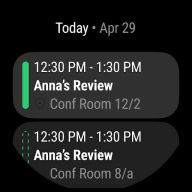
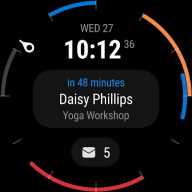
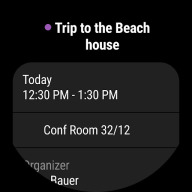
Get even more from Outlook with the Wear OS companion app—view emails and events at a glance on your smartwatch.
Read Microsoft’s Consumer Health Data Privacy Policy: https://go.microsoft.com/fwlink/?linkid=2259814
FAQ
Additional information
Screenshots



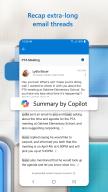
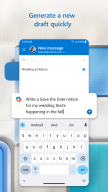
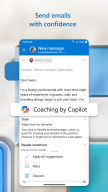
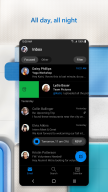
Reviews
Recommend Article










Similar Apps
Pro version of SuperVPN Free, best VPN service

Efficient file management app
Copilot, Word, Excel, and More

AI Chatbot and AI writing assistant powered by ChatGPT.
Use powerful, industry-leading AI tools to generate visual charts from any data

Sentio Desktop transforms Android into a full desktop experience