


Sony | Music Center

Hot Novels






Install Tips
Mobile safety & integrity report for the latest package. We provide verifiable checksums and a timestamped scan summary. Latest package Sony | Music Center 7.5.1(7050150) scanned by multiple engines; no threats detectedas of Tue, 28 Jul 2026 12:12:39 GMT.
After downloading, use a system or third-party checksum tool to calculate the SHA256 and ensure it matches the value provided on this page (case-sensitive, without spaces).
Each engine uses different signature databases and heuristics, so results may vary slightly. We provide a timestamp and checksum to allow you to independently verify the package.
Sony | Music Center Review
- The center for all music lovers -
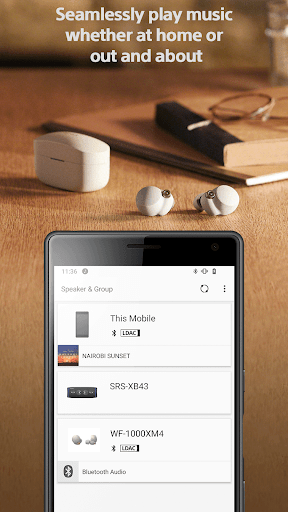
Do you want to fully enjoy music whether at home or out and about?
Then this Sony app is exactly what you've been waiting for.
The Sony l Music Center app will singlehandedly enable you
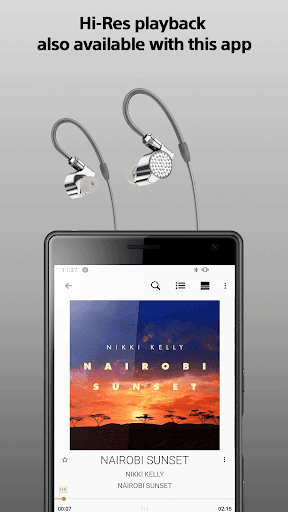
to listen to Hi-Res sound sources in the excellent audio quality.
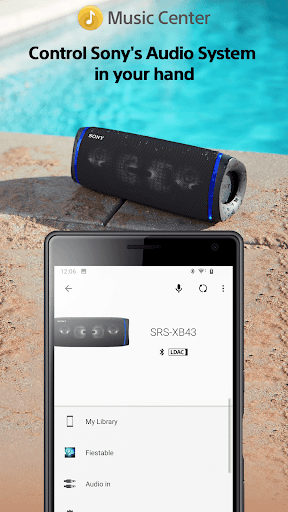
You can also connect to other Sony audio devices to play music in the
best possible sound field, with the settings optimized for each individual device.
To use the control function of audio devices, an audio device compatible with Sony | Music Center is required.
Please check if your audio products are compatible with Sony | Music Center from our support site.
Devices that were compatible with SongPal are compatible with Sony | Music Center as well.
Main Feature
You can playback music including Hi-Res tracks on your smartphone.
Play the music contents from CD, USB, and Smartphone.
Access music by browsing or searching music folders stored on your computer or NAS drive thru network(DLNA)*.
You can set Multi-room, Surround, Stereo wirelessly with multiple speakers.*
Change the setting on the audio device, such as Equalizer, Sleep Timer, Network* and so on.
*Limited to compatible devices.
This application supports TalkBack.
Note
* Starting with version 7.4 of this app, it is only available on Android OS 9.0 or later.
This app does not support Atom™ processor-based mobile devices.
With the update to ver.5.2, Music Center will no longer be compatible with STR-DN850/STR-DN1050/ICF-CS20BT/XDR-DS21BT.
Some features may not be supported by certain devices.
Some functions and services may not be supported in certain regions/countries.
Please make sure to update Sony | Music Center to the latest version.
Sony | Music Center confirm the permission below.
【Device & app history】
●retrieve running apps
⇒Check if Sony | Music Center is running and launch Sony | Music Center automatically when connecting to the compatible devices or performing the initial setup.
【Photos/Media/Files】
●test access to protected storage
【Microphone】
●record audio
⇒Use the microphone when performing voice operation.
【Wi-Fi connection information】
●view Wi-Fi connections
【Device ID & call information】
●read device status and identity
⇒While Sony | Music Center is connecting to the car audio Sony | Music Center check the call status so as not to read text message during calling..
Additional information
Screenshots
Reviews
Recommend Article








Similar Apps

Listen to radio app: +500 Guatemala live radio stations. Radio FM & Radio Online
Tune your guitar, ukulele or bass, adjust chords with chromatic tuner & play!

Ukulele Tuner and Chords

Buy, stream, and support indie artists directly with the Bandcamp music community.

AiO Mp3 Downloader and Player. Download millions of song

JBL PartyBox APP works with 110/310/710/120/320/520/Encore/Encore 2/Encore Ess 2