


Okta Verify

Hot Novels






Install Tips
Mobile safety & integrity report for the latest package. We provide verifiable checksums and a timestamped scan summary. Latest package Okta Verify 8.16.0 scanned by multiple engines; no threats detectedas of Tue, 28 Jul 2026 12:08:53 GMT.
After downloading, use a system or third-party checksum tool to calculate the SHA256 and ensure it matches the value provided on this page (case-sensitive, without spaces).
Each engine uses different signature databases and heuristics, so results may vary slightly. We provide a timestamp and checksum to allow you to independently verify the package.
Okta Verify Review
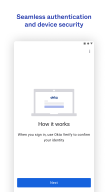
Okta Verify is a lightweight app that allows you to securely access your apps via 2-step verification, ensuring that you, and only you, can access your app accounts.
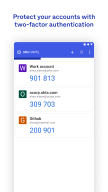
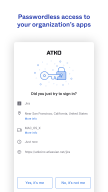
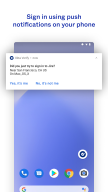
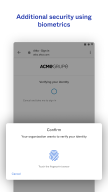
While you access your apps, you'll choose a 2-step verification method provided by Okta Verify to finish signing in. You can verify your identity using a push notification sent to your device (if enabled by your organization), a temporary 6-digit code, or biometrics (if enabled by your organization).
We do request permission to use your device camera so that you can scan a QR code when you enroll your device with Okta.
Terms of Service: https://www.okta.com/sites/default/files/ORDERFORMSUPPLEMENT_OktaVerifyforAndroid_June2017.pdf
Additional information
Screenshots
Reviews
Recommend Article











Similar Apps

Boost your productivity, earn rewards, and grow a garden with our focus timer.

True 5G, recharges, payments & UPI, music & movies, backup, games, news & more.

The plugin enables printing from your apps to HP printers.

Secure VPN Proxy Tool, Great Surf Privacy Protector.

Effortless file management with cloud and device integration.

Access your phone's notifications, calls, apps, photos & texts on your PC