

GoPro Quik

Hot Novels






Install Tips
Mobile safety & integrity report for the latest package. We provide verifiable checksums and a timestamped scan summary. Latest package GoPro Quik 13.24.1 scanned by multiple engines; no threats detectedas of Tue, 28 Jul 2026 12:00:44 GMT.
After downloading, use a system or third-party checksum tool to calculate the SHA256 and ensure it matches the value provided on this page (case-sensitive, without spaces).
Each engine uses different signature databases and heuristics, so results may vary slightly. We provide a timestamp and checksum to allow you to independently verify the package.
GoPro Quik Review
---KEY FEATURES [1]---
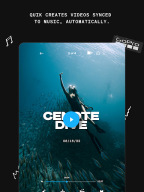
AUTOMATIC EDITS
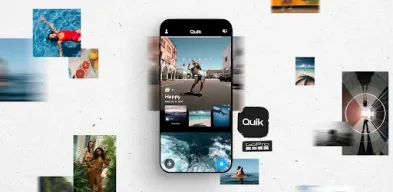
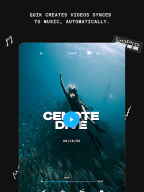
The Quik app picks your best shots, syncs them to music, adds cinematic transitions, and creates a shareable video.
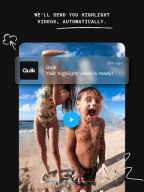
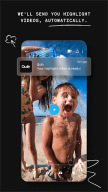
HIGHLIGHT VIDEOS SENT TO YOU - AUTOMATICALLY
With a GoPro subscription, your shots auto-upload to the cloud while you charge your GoPro, then a stunning highlight video is sent to you, ready to share. [2]
UNLIMITED BACKUP AT 100% QUALITY
A Quik subscription gets you unlimited mural backup at 100% quality. For GoPro camera owners, the GoPro subscription gets you all that *plus* full backup of all your app media. [3]
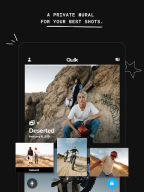
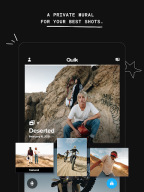
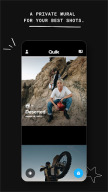
ALL YOUR FAVORITE SHOTS IN ONE SPOT
Post your favorite shots to your private Mural within the Quik app and never lose track of them in the black hole of your phone’s camera roll again.
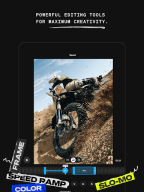
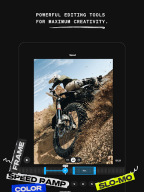
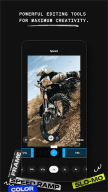
POWERFUL EDITING TOOLS
Powerful yet simple editing tools that give you manual control in a multi-selection timeline.
BEAT SYNC
Syncs clips, transitions, and effects to the beat of your music or GoPro music.
SPEED TOOL
Take ultimate control of video speed—super slow, fast or freeze—at multiple segments in a clip.
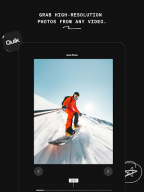
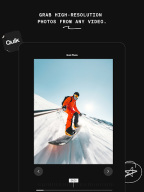
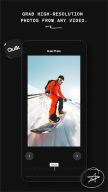
FRAME GRAB
Get high resolution photos by capturing a frame from any video.
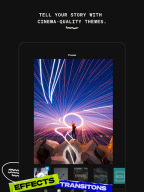
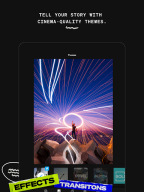
THEMES
Find a theme that tells your story with cinematic transitions, filters, and effects.
FILTERS
Exclusive filters optimized for environments like snow and water.
SHARE TO SOCIAL
Share directly from Quik to your favorite social media apps. [4]
---GOPRO CAMERA FEATURES---
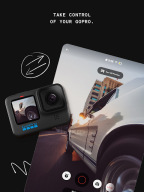
CAMERA REMOTE CONTROL
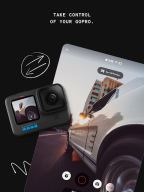
Use your phone as a remote for your GoPro, perfect for framing shots, recording from afar and adjusting settings.
PREVIEW SHOTS + TRANSFER CONTENT
Check out GoPro photos and videos on your phone’s screen before you transfer them to Quik—even when you’re off the grid.
LIVE STREAMING
Broadcast whatever you’re doing as it’s happening. [5]
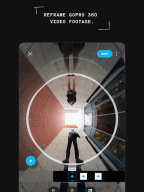
HORIZON LEVELING
Get built-in horizon leveling, so your shots are never crooked.
FIRMWARE UPDATES
Getting the latest updates for your GoPro is easy—just follow the simple instructions when you pair and you’re all set.
---FOOTNOTES---
[1] GoPro or Quik Subscription required. Certain features require a wifi network connection. Separate data fees may apply. GoPro and Quik Subscription services are available in select countries. Cancel anytime. See terms + conditions for details.
[2] GoPro cloud storage does not support content captured with GoPro Fusion. “Automatically” requires the camera to be connected to Wi-Fi. Separate data fees may apply. Visit gopro.com/subscribe for info and availability.
[3] Quik cloud storage is limited to backup of content on your Mural including any edits saved on Mural. Quik cloud storage do not support content captured with GoPro Fusion. Separate data fees may apply.
[4] Compatible with videos captured in select modes only.
[5] Stream video directly to integrated platforms or other platforms using an RTMP URL. Third party apps and accounts may be required.
Additional information
Screenshots


Reviews
Recommend Article







Similar Apps

Advanced VFX editor with cutting-edge features.

High-performance video player supporting 8K playback and advanced tools.

Video downloader: download no watermark video, download no logo video
Photo Video Maker create video from photos, with music, effect, frame, slideshow

Subtitles & Captions for Videos. Create captions for all your video content.
Mimo is DJI's proprietary application for handheld stabilization devices.