

Audio Extractor: Video to MP3

Hot Novels






Install Tips
Mobile safety & integrity report for the latest package. We provide verifiable checksums and a timestamped scan summary. Latest package Audio Extractor: Video to MP3 2.1(14) scanned by multiple engines; no threats detectedas of Tue, 28 Jul 2026 11:53:28 GMT.
After downloading, use a system or third-party checksum tool to calculate the SHA256 and ensure it matches the value provided on this page (case-sensitive, without spaces).
Each engine uses different signature databases and heuristics, so results may vary slightly. We provide a timestamp and checksum to allow you to independently verify the package.
Audio Extractor: Video to MP3 Review
Audio Extractor allows you to Convert Video to mp3, video to audio, replace audio of video.
Extract Audio from One Video and apply to other.
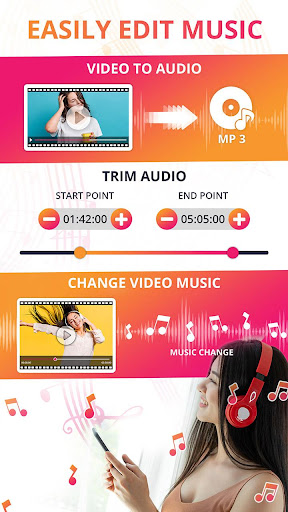
Audio Extractor and Audio Changer allows you to easily Extract, Cut, Change and Convert audio or video files. You can cut your favorite part and extract audios in any Format like .mp3, .aac or .wav format.
Audio Extractor ( MP4 to Mp3 Converter) is easy to use and allows you to precisely cut audios. You can apply audios to your Favorite Videos with looping option.
Main Functions:
► Audio Extractor - Video to Audio Converter
Want to take out the audio from a video?
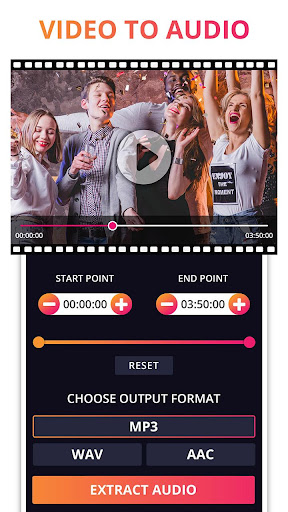
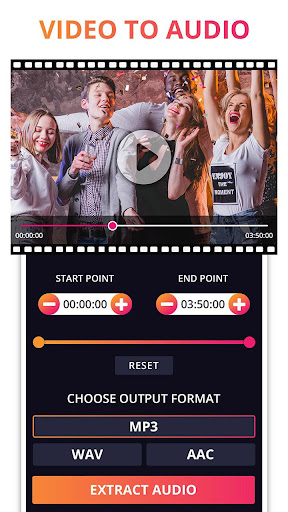
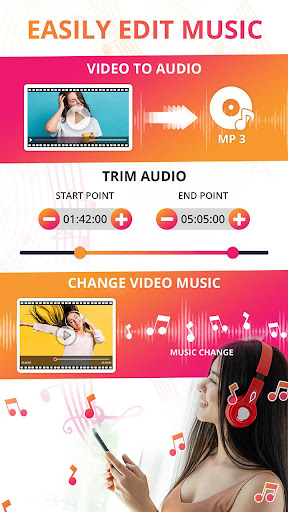
Audio Extractor provide you to extract audio from video. It allows you to very easily extract high-quality audio files from videos. It converts any video to multi audio formats like .mp3, .wav and .aac format. You can easily extract full audio from audio or can extract audio within specific time.
► Audio Cutter - Audio Trimmer
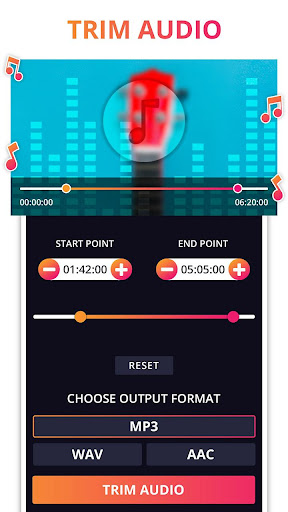
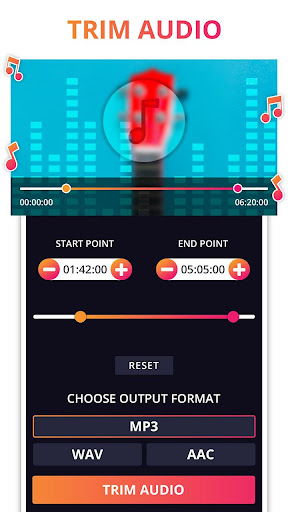
Easily Trim or Change Audio format from any format to mp3, aac and wav. It allows you to easily trim your audio by changing start and end time of audio and choose any format from .mp3, .aac and .wav to save your trimmed file in specific format and can easily apply this trimmed audio on other videos.
► Change Audio
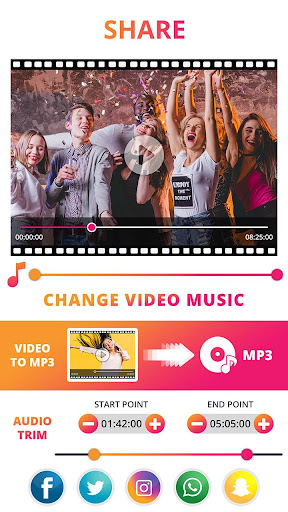
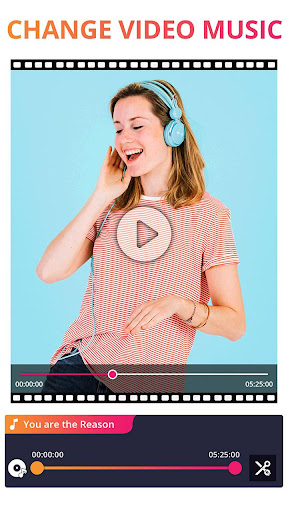
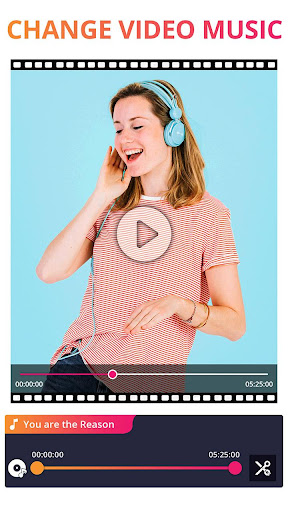
Change Audio feature let you to change audio of your video and you can easily edit the original video's Audio and can apply on video easily. You can loop your trimmed audio on video. Audio editing feature in Change audio lets you to trim audio between any time range and then can apply on Video and also you can preview your video with audio selected. Easily save Video and Share.
How to USE?
- Choose a video or Audio from select video or Audio option.
- Select time range or choose full video's by seek bar or Number Picker.
- Convert audio in any specific format like .mp3, .aac, .wav.
- Save the extracted audio, Trimmed Audio, Change Audio of video and change the name of file if you want.
- Wait for process to complete or choose 'Notify me when completed' option.
- 'Notify me when completed' feature enables you to process your audio or video in background and notify you when completed.
- Notification Feature show you notification with process(i.e. how much is done) even if your app is not opened.
- Save your time because you need not to wait for the process to complete if once started.
- Can easily apply extracted audio on other videos by "Change Audio" feature.
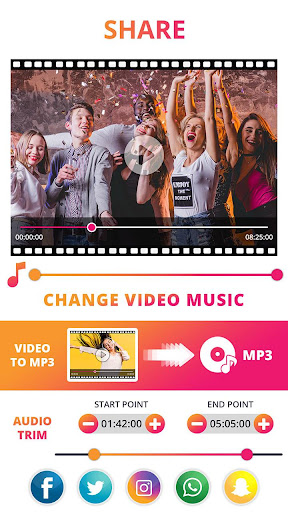
- Easily Share your Audio and Video With your Friends on any social media platform directly from the app.
Features:
• Simple and easy operation.
• Quality Audio Extractor and Converter.
• Quality Audio Trimmer and Converter.
• Change Audio of Video File Easily.
• Convert Original Video to .mp3, .wav and .aac.
• Change Format And trim Audio Easily.
• Supports Different types of videos and audios.
• Very fast extractor and converter.
• Preview the audio or video before saving it.
• Background process feature.
• Notification feature.
• Access from notification, when completed it notify you.
• Share your Audio and Videos with your friends or on social media directly from app.
• Delete or View Audio and Video directly from app.
• No Watermark on video.
Additional information
Screenshots


Reviews
Recommend Article










Similar Apps

Offline Music Player&MP3 Player with themes, equalizer, lyrics, music play mode

Offline and always ad-free - stream in the highest quality available.
Convert video to audio. Change video/audio formats easily and quickly.
Simple music player for your daily soundtrack.

Download full tracks, listen to music offline, make unlimited playlists.

Listen to radio online: 1500 Canada radio stations. FM radio & live radio.