
Every designer, creator, and print professional faces the critical problem of pixelation. When you enlarge a standard image file (a raster image, such as a JPEG or PNG), its fixed grid of individual pixels becomes visible, resulting in a blurry, unprofessional appearance.
Vectorizer.AI is the definitive, AI-powered solution to this fundamental design challenge. It instantly transforms these pixel-based files into perfectly sharp, infinitely scalable vector graphics.
Raster vs. Vector: A Quick Distinction
●Raster (Pixel) Image: Composed of a fixed grid of colored blocks. Scaling up degrades quality.
●Vector Image (SVG, PDF, EPS): Defined by mathematical paths and geometric shapes. Scaling up maintains absolute clarity and sharpness.
The Vectorizer.AI Advantage: AI-Powered Precision
Vectorizer.AI utilizes advanced deep learning networks and proprietary computational geometry to move far beyond conventional auto-tracing tools. The entire vectorization process is fully automated, delivering superior quality without the need for manual cleanup.
| Feature | Technical Capability | Creator Benefit |
|---|---|---|
| Fully Automatic Conversion | Processes raster data (JPG, PNG) into vector format (SVG, EPS) without user input. | Maximum Efficiency: Significantly boosts productivity and eliminates hours of tedious manual tracing. |
| Full Color & Transparency Support | Support Accurately models and preserves full 32-bit color data, including gradients and alpha channel (transparency). | Integrity Preservation: Your complex illustrations and shaded artwork remain true to the original source. |
| Sub-Pixel Precision | Analyzes features at a detail level finer than a single pixel to accurately place vector boundaries. | Enhanced Detail: Cleans up and enhances even low-resolution or anti-aliased input images for pristine results. |
| Precise Geometric Shape Fitting | Automatically detects and fits true geometric primitives (circles, ellipses, rounded rectangles) where applicable. | Professional Consistency: Results in clean, mathematically perfect, and easily editable vector paths. |
| Extensive Export Compatibility | Supports industry-standard output formats: SVG, PDF, EPS, DXF, and PNG. | Seamless Workflow: Ensures your graphic is ready for print, web, cutting machines, and all major design software (e.g., Adobe Illustrator). |
Seamless Workflow: Three Steps to Perfect Vectors
The process is designed for speed and accessibility, allowing you to convert your artwork in seconds:
1. Upload: Go to Vectorizer.AI and drag-and-drop your raster image file (JPG, PNG, etc.) onto the platform.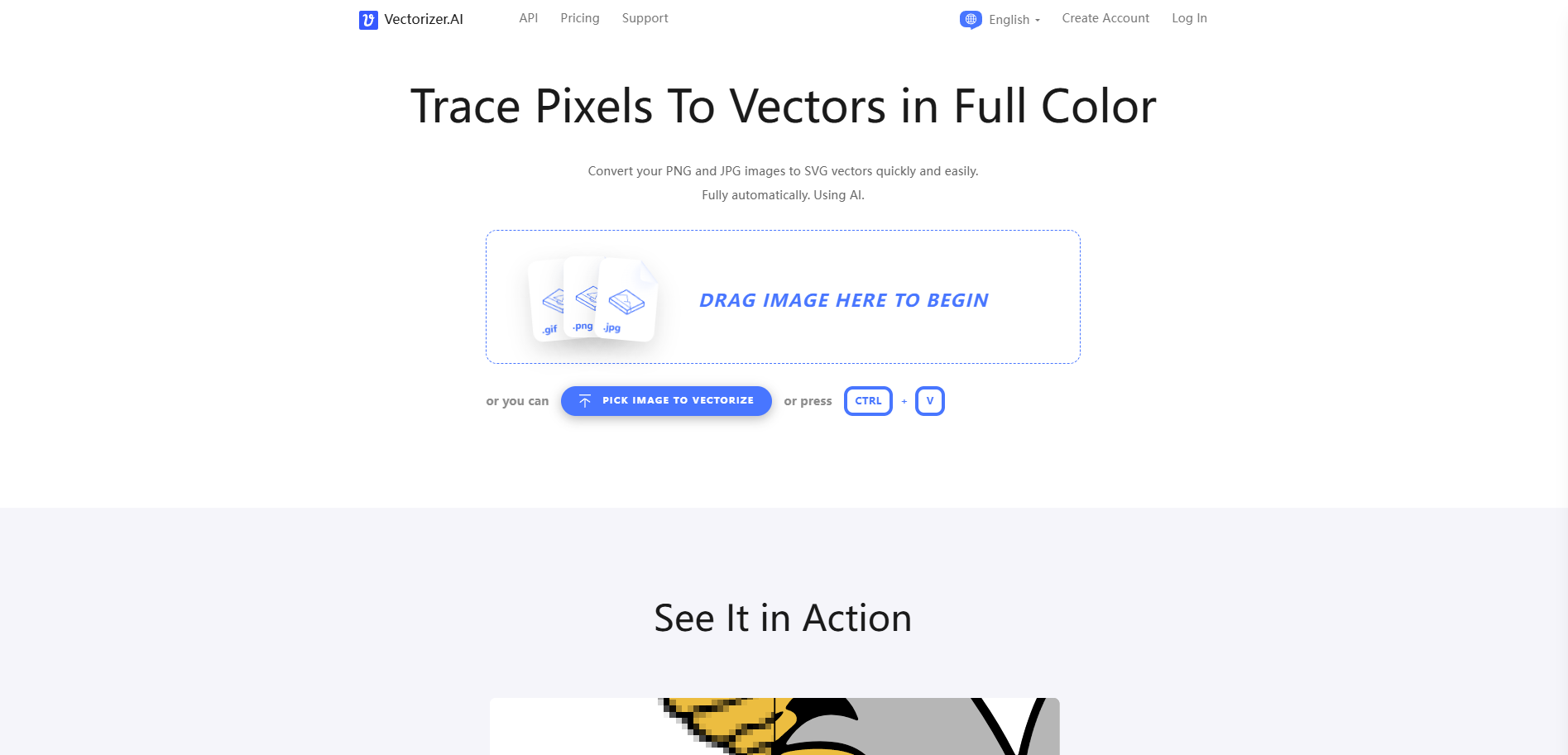
2. Process: The AI engine instantaneously analyzes the image, identifies all contours, and traces them into the high-quality vector graph.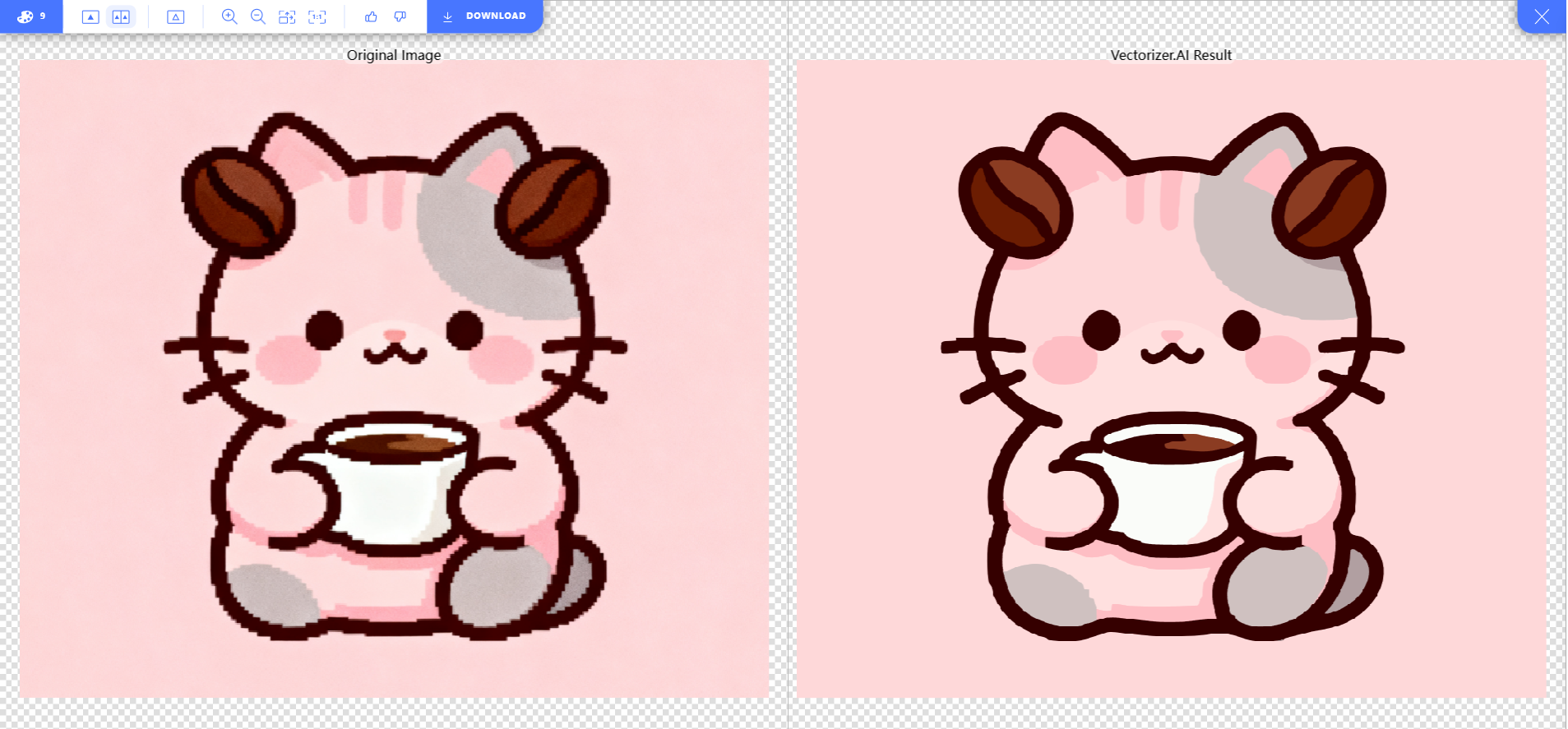
3. Review & Download: Utilize the interactive preview tool to verify the resolution-independent result. Once satisfied, download the production-ready vector file in your preferred format.
Essential for Professionals and Serious Creators
For any task that demands flawless scalability, Vectorizer.AI is an indispensable tool:
● Logo Design & Branding: Convert sketches or initial raster drafts into scalable brand assets.
● Print Production: Generate press-ready artwork for merchandise, apparel, signs, and large-format printing without quality concerns.
● Web & UI Development: Produce crisp, optimized icons and illustrations that look perfect on all devices and screen resolutions.
● Physical Fabrication: Prepare designs for vinyl cutting, laser engraving, and embroidery with mathematically precise vector lines.
Vectorizer.AI removes the technical barriers to high-quality vector creation, allowing you to focus completely on your creative vision.