


RoomClip Interior PhotoSharing

Hot Novels






Install Tips
Mobile safety & integrity report for the latest package. We provide verifiable checksums and a timestamped scan summary. Latest package RoomClip Interior PhotoSharing 6.78.5 scanned by multiple engines; no threats detectedas of Tue, 28 Jul 2026 12:11:23 GMT.
After downloading, use a system or third-party checksum tool to calculate the SHA256 and ensure it matches the value provided on this page (case-sensitive, without spaces).
Each engine uses different signature databases and heuristics, so results may vary slightly. We provide a timestamp and checksum to allow you to independently verify the package.
RoomClip Interior PhotoSharing Review
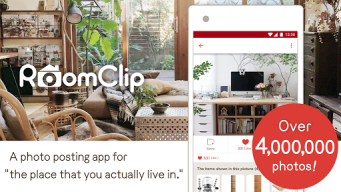
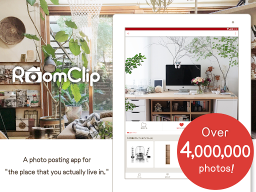
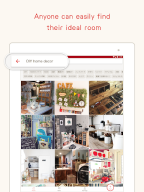
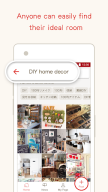
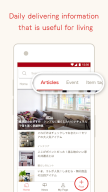
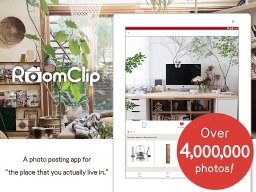
RoomClip is an app that allows you to create your own album of photos of your room. There are already over 6,000,000 photos from people throughout Japan who have posted their photos to show off their own individual room styles.
Won’t you try saving as photos the little things you do to make a room your own special place, such as photos of the room’s interior decorations, DIY and handmade items, hobby-based collections, memories, miscellaneous goods, lighting fixtures, and more?
-----------------------
*Easily download the app and register your account (10 sec)
You can use your email address, or Facebook account to easily register for free.
*Follow other users
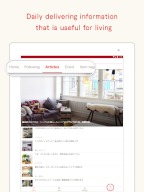
First enjoy the app simply by looking at other users’ rooms! If you find a room that interests you, just follow it to be updated with new photos posted by that user from the New Photos tab.
*Tag your photos
By tagging your photos with information like the theme of the photo and what's being shown, you can later look back on photos of your room based on tags. You might even be followed by people who have photos showing the same things (tables, chairs, fans, etc.) or brands (IKEA, Muji, Eames, etc.), or the same hobbies as you.
*Add items to your photos
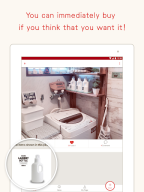
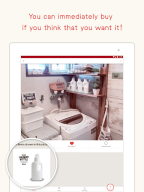
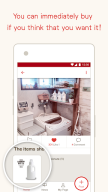
You can add items to your photos. And also you can see and buy items in other people’s photos.
*The app also has a lot of other fun and convenient functions
Favorite Function:
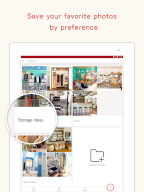
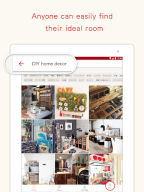
If you want to see photos tagged with certain tags, try using the favorite function.
You can find photos that match what you're looking for through photos on RoomClip.
Like Button:
When you look at a photo, don’t you ever wish you could see a certain part more up close, or from a different angle? The like button makes these wishes come true. Try liking as many photos as you're interested in.
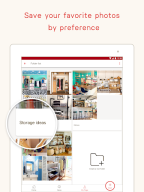
Clip Button:
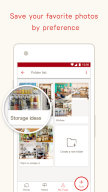
This button lets you save photos that you want to look at for later.
Try clipping photos that pique your interests.
*The app is great for the following kinds of people!
-People who like DIY tasks.
-People who collect accessories, action figures, toys, etc.
-Interior designers and coordinators.
-Architects and people who work in the field of architecture.
-People who work in real estate.
-People who work in remodeling.
-Housewives and househusbands who like to take special care of their rooms.
-People who want to take before/after shots when moving.
-People who want to take before/after shots when rearranging.
-People who want to take before/after shots when remodeling.
Android 9.0 and higher.
Additional information
Screenshots
Reviews
Recommend Article










Similar Apps

View houses and apartments for rent, updated daily.
Turn your phone into a smart camera with AlfredCamera. Quick install and free download for Android security.

Smart watering control for efficient lawn care.

Enables wireless control of your connected devices from anywhere.

Background Video Recorder: Never miss a moment with a Background Video Recorder.

Apartment finder for apartments for rent. Compare prices, amenities & rentals.