

PixelLab

Hot Novels






Install Tips
Mobile safety & integrity report for the latest package. We provide verifiable checksums and a timestamped scan summary. Latest package PixelLab 2.1.4(59) scanned by multiple engines; no threats detectedas of Tue, 28 Jul 2026 12:09:52 GMT.
After downloading, use a system or third-party checksum tool to calculate the SHA256 and ensure it matches the value provided on this page (case-sensitive, without spaces).
Each engine uses different signature databases and heuristics, so results may vary slightly. We provide a timestamp and checksum to allow you to independently verify the package.
PixelLab Review
PixelLab lets you easily add texts, shapes, stickers, and more to your pictures.
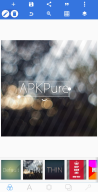
PixelLab is a feature-rich photo editor that makes adding stylish text, 3D text, shapes, stickers, and drawings to your images a breeze. Boasting a user-friendly interface, a wealth of customization options, and powerful editing tools, PixelLab enables users to create stunning graphics directly on their phone or tablet. This versatile app is perfect for transforming your images with minimal effort and great results.
Key features of PixelLab:
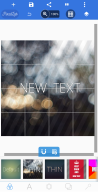
Text and 3D Text: Add and customize as many text objects as you desire, in a variety of styles. Create eye-catching 3D texts to overlay on your images or use as a standalone element in your poster designs.
Text Effects and Color Options: Enhance your text with dozens of effects, such as shadow, inner shadow, stroke, background, reflection, emboss, and masks. Customize your text color using solid colors, linear gradients, radial gradients, or image textures.
Font Selection and Custom Fonts: Choose from over 100 hand-picked fonts or import your own to achieve the perfect look for your text.
Stickers, Emojis, and Shapes: Add and customize stickers, emojis, and shapes to amplify your image's visual appeal and express your creativity.
Import Images and Draw: Incorporate your own images from your gallery or draw directly on the canvas with adjustable pen sizes and colors.
Background Editing: Customize your project's background by selecting a solid color, gradient, or image.
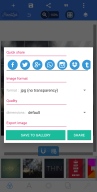
Save and Share: Export your creations in various formats and resolutions to share on social media platforms with ease, or save as a project for editing later.
Background Removal: PixelLab can remove backgrounds from images, including green screens, blue screens, and white backgrounds, making them transparent for versatile use.
Image Effects and Perspective Editing: Apply a range of image effects, such as vignettes, stripes, hue, and saturation. Edit image perspectives with the Warp tool, perfect for replacing monitor content or altering signage text.
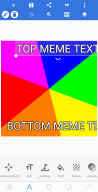
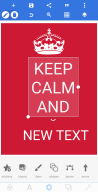
Memes and Quotes: Create memes using the provided meme preset in just a few seconds, or browse through quotes to add an inspiring touch to your designs.
Changelog
Apr 24, 2025
PixelLab lets you easily add texts, shapes, stickers, and more to your pictures. Download the latest version of PixelLab - Text on pictures 2.1.4 to enjoy new features and updates immediately!
Bug fixes.
Additional information
Screenshots
Reviews
Recommend Article








Similar Apps

Picture collage editor photo grid maker, fun pic collage maker with photo frame!
Download 0.5x Zoom Camera APK for Android - Free - Latest Version

Create Business Headshots, Travel Selfies, Profile Pics and Realistic AI Photos
Be your best in every shot! Fix, edit and retouch your face in selfies & photos.
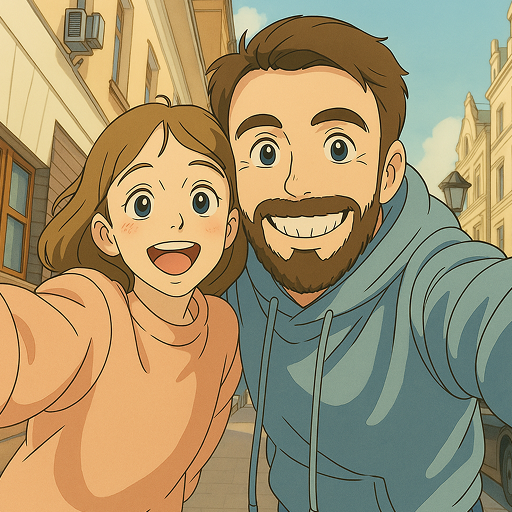
Toon up your photos with hundreds of styles and art lens in ToonMe.

Enjoy your precious moments with Samsung Gallery for more cool and fun