

OBD JScan

Hot Novels






Install Tips
Mobile safety & integrity report for the latest package. We provide verifiable checksums and a timestamped scan summary. Latest package OBD JScan v17.11.2025.12:45 scanned by multiple engines; no threats detectedas of Tue, 28 Jul 2026 12:08:46 GMT.
After downloading, use a system or third-party checksum tool to calculate the SHA256 and ensure it matches the value provided on this page (case-sensitive, without spaces).
Each engine uses different signature databases and heuristics, so results may vary slightly. We provide a timestamp and checksum to allow you to independently verify the package.
OBD JScan Review
What is OBD JScan?
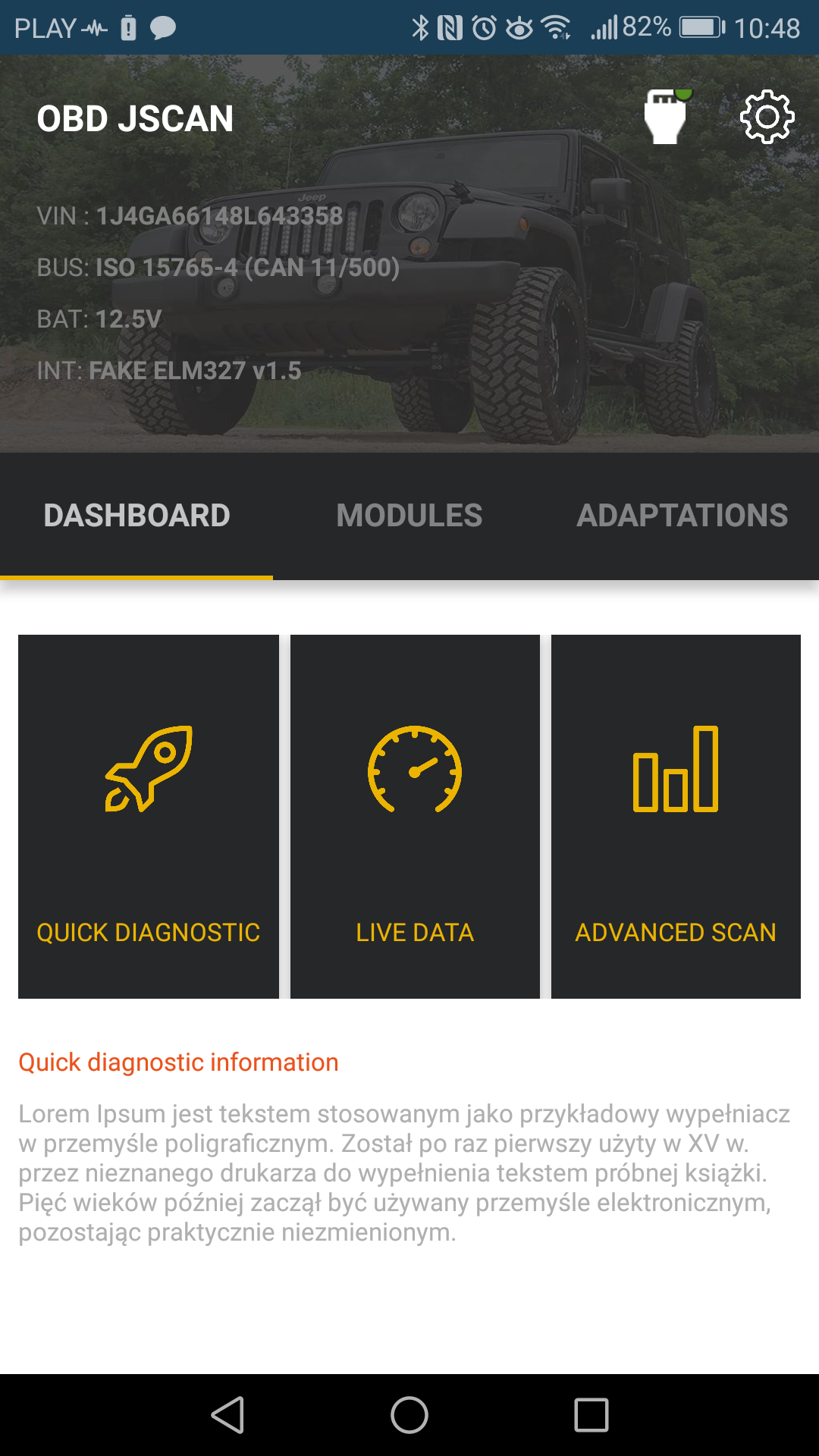
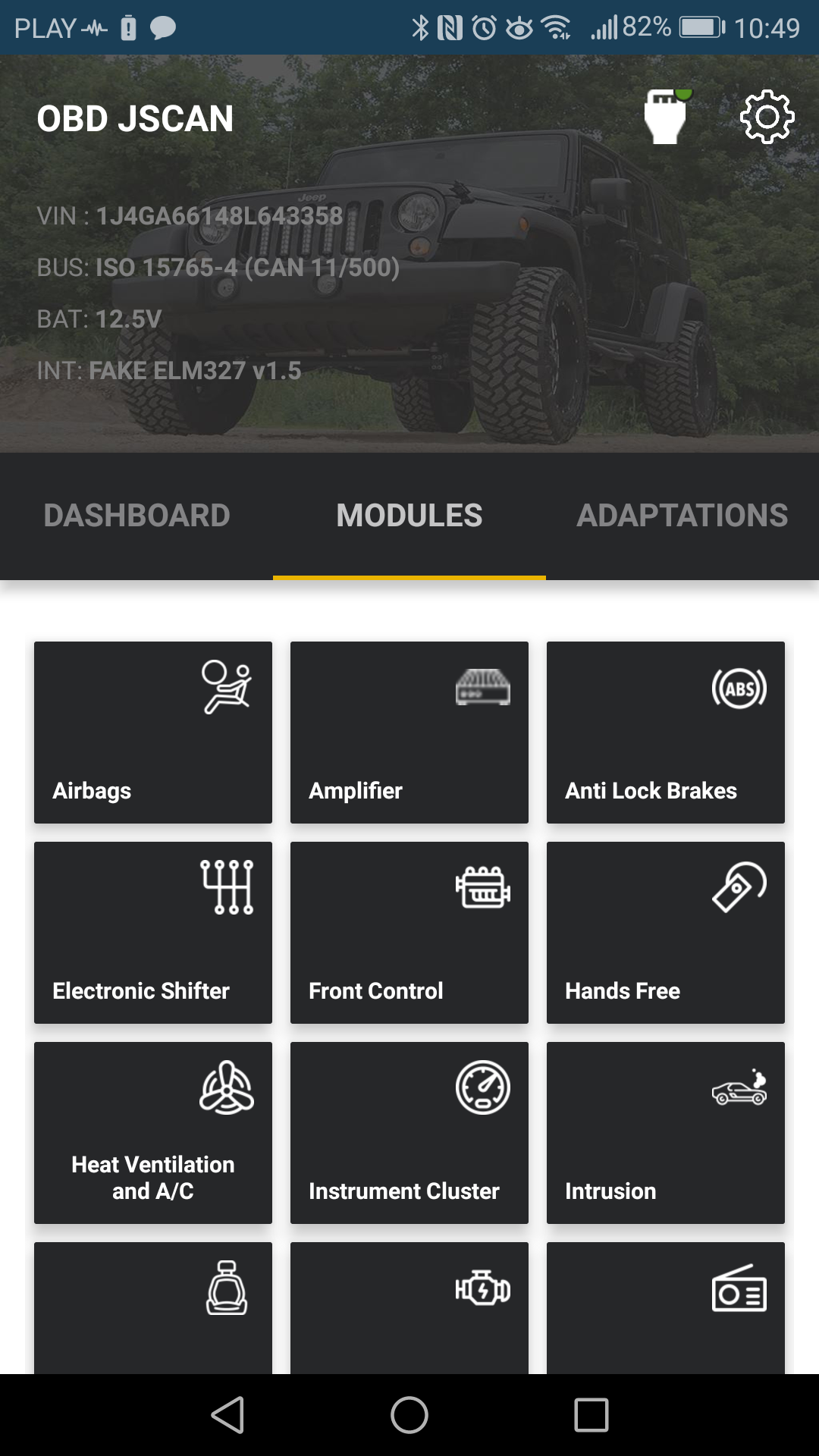
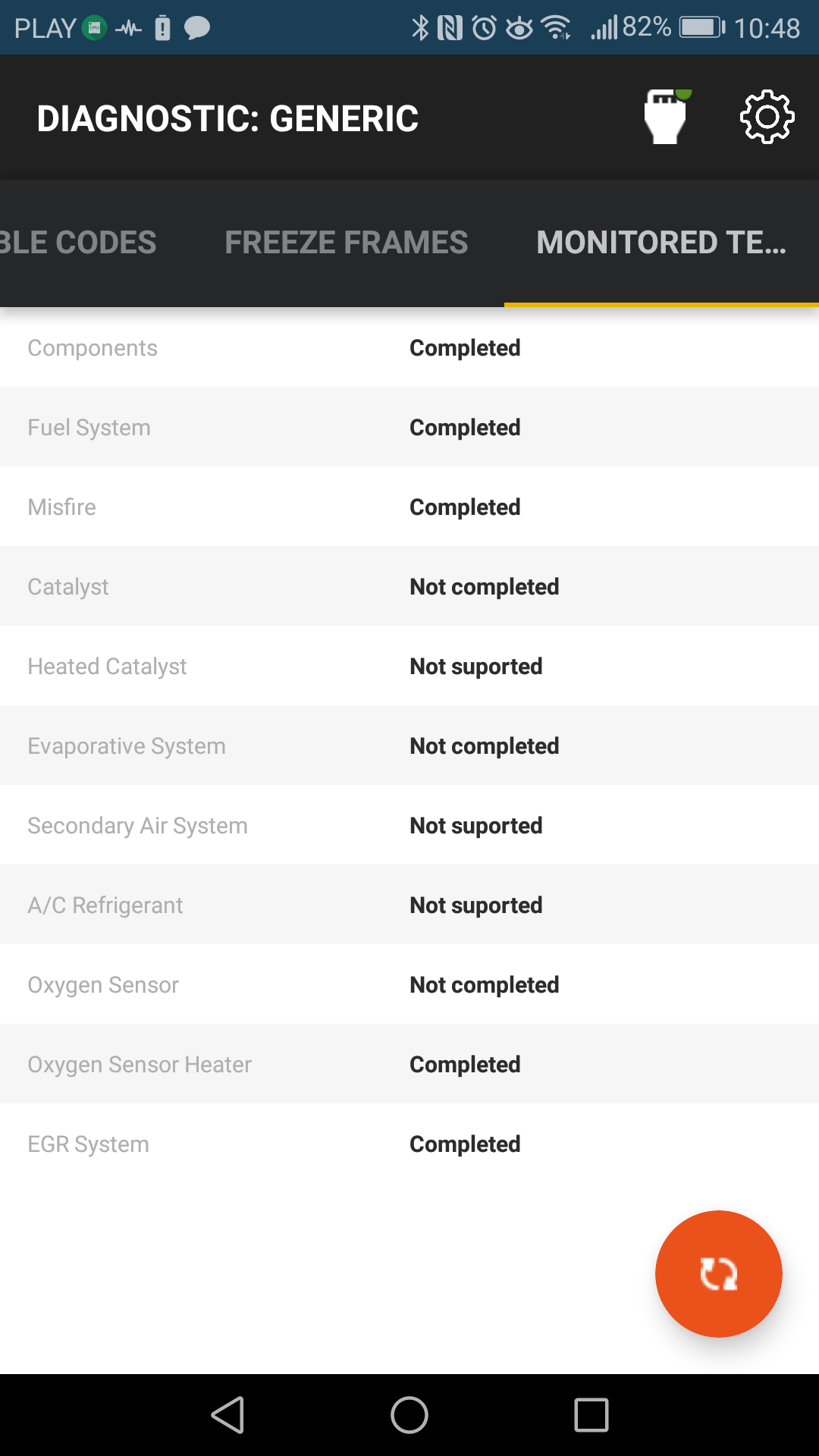
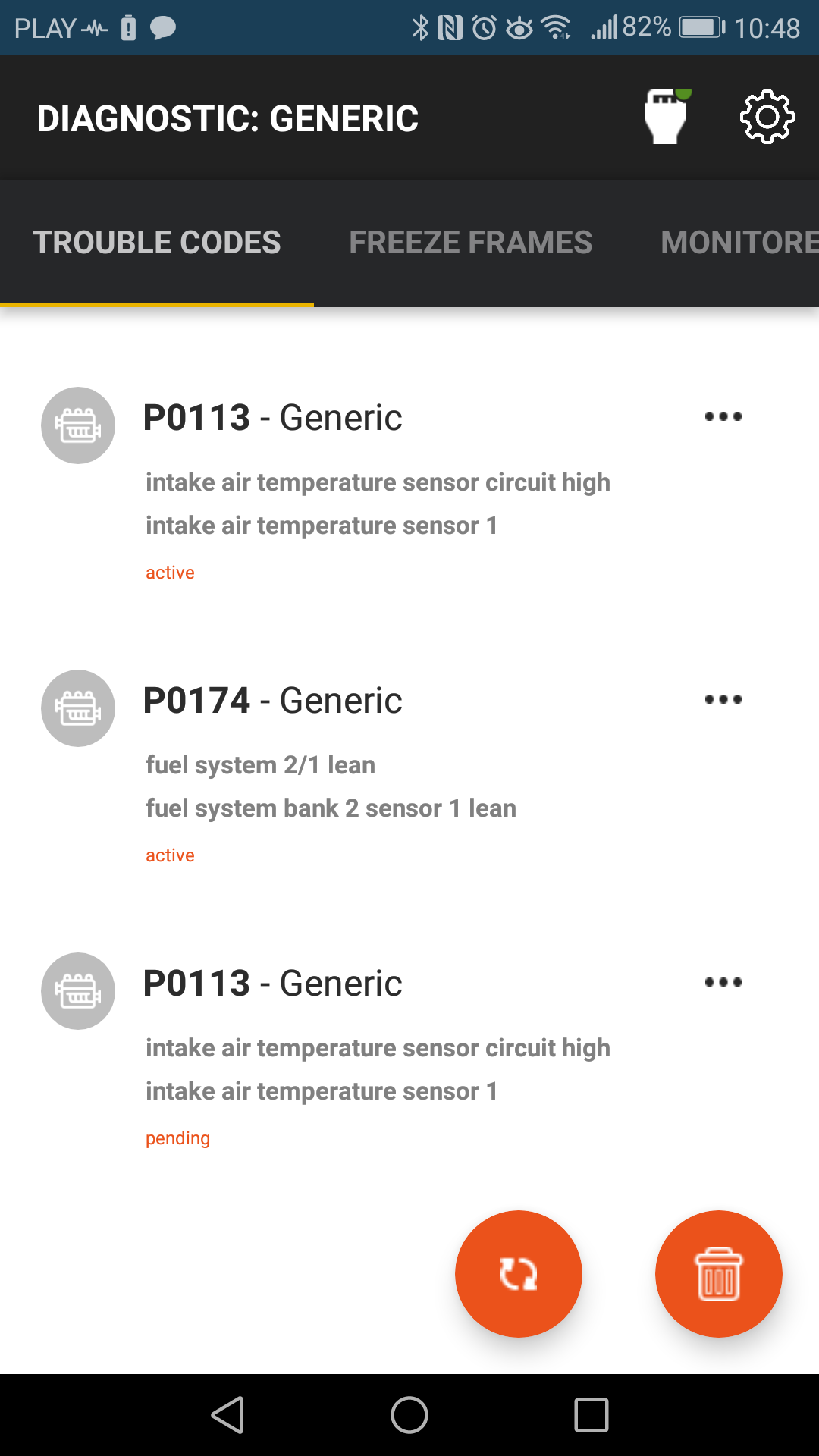
OBD JScan is powerful Jeep diagnostic application. JScan allows reading standard Diagnostic Trouble Codes (emission related), Generic Live Data and much more. That's not all. JScan can access all modules avilable on your vehicle. ABS, Steering Column, Automatic Transmission, Radio, Sway Bar, Hvac and much more.
What can I Do with JScan?
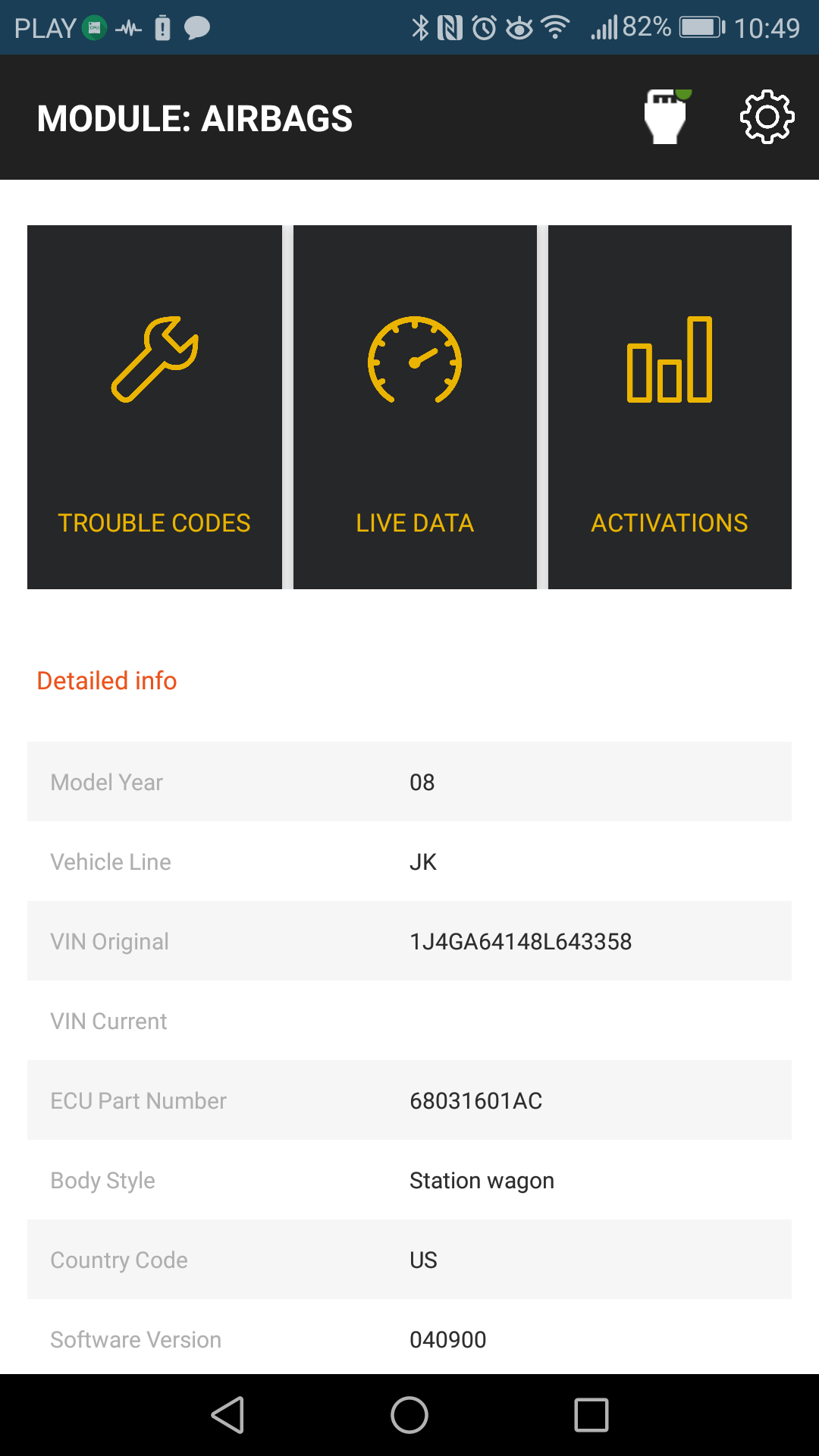
JScan allows you to access, diagnostic trouble codes and Live Data in all modules. You can easily Read, Clear, Share vehicle Trouble Codes. View Live Data from all sensors in vehicle. View and Change vehicle settings like tires size, axle ratio, DRL Settings, and more. Identify modules, VIN, Part Number.
Some supported cars:
Jeep Wrangler JK,
Jeep Wrangler JL/JT - additional hardware required to bypass security gateway*
Jeep Grand Cherokee WK
Jeep Grand Cherokee WK2 11-13
Jeep Grand Cherokee WK2 14-20 - 18+ - additional hardware required to bypass security gateway*
Jeep Commander XK
Jeep Liberty/Cherokee KK,
Jeep Compass, Jeep Patriot MK
Dodge Avenger,
Dodge Grand Caravan RT,
Dodge Journey - 18+ - additional hardware required to bypass security gateway*,
Dodge Caliber,
Dodge Durango 2004-2009,
Dodge Durango 2011-2013,
Dodge Durango 2014-2020 - 18+ - additional hardware required to bypass security gateway*,
Dodge Ram,
Dodge Nitro,
Dodge Magnum,
Dodge Challenger - 08-14,
Dodge Challenger - 14+,
Dodge Charger - 06 - 10,
Dodge Charger - 11+,
Chrysler Town & Country RT,
Chrysler 200,
Chrysler 300C,
Chrysler 300,
Chrysler Sebring,
Chrysler Aspen,
and more..
* WK2 / Durango/ Journey - all 2018+ models requires securit bypass cable
* JL requires security bypass cable
* JT requires security bypass cable
* http://jscan.net/jl-jt-security-bypass/ - learn more here
Supported and recommended OBD ELM327 adapters:
Bluetooth:
- OBD ELM327 iCar Vgate v2.0 Bluetooth.
- OBD ELM327 iCar Vgate v3.0 Bluetooth.
- OBD ELM327 iCar Vgate v4.0 Bluetooth LE - this adapter will also work with iOS
- OBD LinkMX Bluetooth
- OBD LinkMX+ Bluetooth
- OBD adapters based on STN1170 chip
WiFi:
- OBD ELM327 iCar Vgate v2.0 WiFi.
- OBD ELM327 iCar Vgate v3.0 WiFi.
- OBD ELM327 iCar Vgate v4.0 WiFi.
Warning!!! There are reports on connection issues when using some cheap "clones" of ELM327 (mostly marked as v2.1)!
More info about supported and recommended adapters:
http://jscan.net/supported-and-not-supported-obd-adapters/
Facebook:
https://www.facebook.com/obdjscan/
Website:
http://jscan.net/
Changelog
24.09
- Stability improvements
- ACC Calibration update
- ZF Quick Learn update
11.08
- ABSO service procedure update
05.08
- Maintenance
- New DTCM procedures for RU & KL
14.07
- New language support
- New service procedures and updates
- Advanced scan screen maintenance
01.06
- BT LE bug fix - missing permission
30.05
- JL DASM Auto Alignment procedure
26.05
- Quick Learn update for Cummins
- Chrysler RU - Rear seat service procedures update
- Minor bug fixes
16.05
- SAE DTC Code list update
Additional information
Screenshots
Reviews
Recommend Article









Similar Apps

Autolist - The Largest Selection of Local Used Cars and Trucks

Control and monitor your garage doors remotely via smartphone.

Vehicle motorcycle diagnostic application for ELM327 Bluetooth/WI-FI adapter.

NAPA PROLink, get NAPA AUTO PARTS fast! Run your shop like a PRO. Scan & search!

RepairSolutions®PRO - By Pros for Pros

Free Load Board, Submit PODs, manage loads, update your location