


Metronome Beats

Hot Novels






Install Tips
Mobile safety & integrity report for the latest package. We provide verifiable checksums and a timestamped scan summary. Latest package Metronome Beats 6.14.3 scanned by multiple engines; no threats detectedas of Tue, 28 Jul 2026 12:06:06 GMT.
After downloading, use a system or third-party checksum tool to calculate the SHA256 and ensure it matches the value provided on this page (case-sensitive, without spaces).
Each engine uses different signature databases and heuristics, so results may vary slightly. We provide a timestamp and checksum to allow you to independently verify the package.
Metronome Beats Review
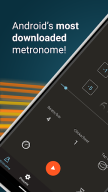
A free interactive metronome app, Speed Trainer, and Drum Machine designed by musicians. With over 10 million downloads Metronome Beats is used worldwide for solo and group music practice, teaching and live concerts. It is also used to keep a steady tempo during running, golf putting practice, dancing, and many other activities.
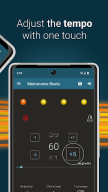
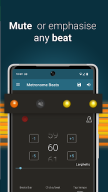
Designed with ease of use in mind, Metronome Beats has controls for easily increasing and decreasing the tempo in small increments by one touch of the screen. The visual beat indicators help you to keep track of where you are in the bar and enable you to mute the metronome whilst still monitoring the tempo visually. You can also create your own custom sound settings or simply change the pitch to make Metronome Beats easier to hear over your instrument.
Only need a few bars lead in? Use the timer function to stop Metronome Beats when you want. You can also use Metronome Beats at the same time as other apps, allowing you to read sheet music off your Tablet whilst playing the metronome to check your tempo.
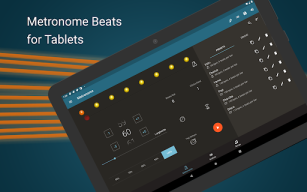
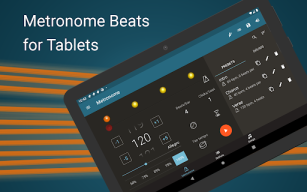
On larger devices the Tablet specific layout gives you access to all of the Metronome Beats features on one handy screen.
Features include:
- Separate layout for larger devices
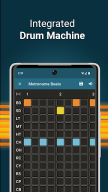
- Drum Machine
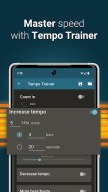
- Speed Trainer
- Select any tempo from 1 to 900 beats per minute.
- Don’t know how many beats per minute you need? Then use the tap tempo button to select a tempo.
- Option to keep the metronome playing when you exit allowing you to use it with other apps
- Set a timer to stop the metronome after a certain number of bars
- Displays Italian tempo markings – handy if you’re not sure how fast Vivace should be.
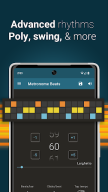
- Subdivide the beat with up to 16 clicks per beat – so you can practice the timing of your triplets.
- Choose whether to accent the first beat of the bar.
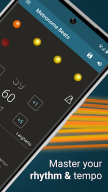
- Visual beat indication - mute the sound and use the visualisations to follow the beat.
- Your settings are saved automatically on exit – so you can carry on where you left off next time you play.
- Change the pitch of the sound to make the metronome easier to hear over your instrument.
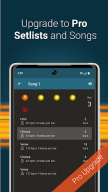
Check out Metronome Beats Pro for even more features, including a “live” mode where you can create and play set lists.
Metronome Beats is supported by adverts, which is why it requires the “INTERNET” and “ACCESS NETWORK STATE” permissions.
For more help with using Metronome Beats, see our blog posts:
http://stonekick.com/blog/metronome-beats-different-time-signaturebeat-combinations/
http://stonekick.com/blog/using-a-metronome-to-improve-your-golf/
Changelog
This release includes new Djembe drums patterns which you can find with the other drum presets. We have also improved the beat animation and fixed some bugs.
We hope that you like these changes. If you have any questions or feature requests you can email us at support@stonekick.com.
Additional information
Screenshots
Reviews
Recommend Article








Similar Apps

Americas representative Korean Broadcasting radio app of Radio Korea (RadioKorea).

Tune your guitar, ukulele or bass, adjust chords with chromatic tuner & play!

Simple and easy to use voice recorder • High audio quality • Skip silence

Listen to Amor 95.3 FM for Android mobile devices

AiO Mp3 Downloader and Player. Download millions of song

Piano app - a simple way to become a real maestro