


Eyezy – GPS Location Tracker

Hot Novels






Install Tips
Mobile safety & integrity report for the latest package. We provide verifiable checksums and a timestamped scan summary. Latest package Eyezy – GPS Location Tracker 1.8.0 scanned by multiple engines; no threats detectedas of Tue, 28 Jul 2026 11:58:55 GMT.
After downloading, use a system or third-party checksum tool to calculate the SHA256 and ensure it matches the value provided on this page (case-sensitive, without spaces).
Each engine uses different signature databases and heuristics, so results may vary slightly. We provide a timestamp and checksum to allow you to independently verify the package.
Eyezy – GPS Location Tracker Review
Every parent wants to ensure their child’s safety, especially when they are out of sight. Eyezy is a parental control app designed to help parents stay connected with their children while maintaining transparency and privacy.
Privacy & Compliance Notice:
Eyezy is a parental control app designed for legal monitoring with the explicit consent of all users. The app does not function without the child’s knowledge and consent. It complies with Google Play policies, GDPR regulations, and data protection laws.
Location Tracking
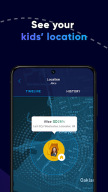
• View your child’s location with frequent updates.
• Track their phone’s position continuously while the tracking feature is enabled.
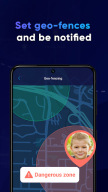
Geofencing and Alerts
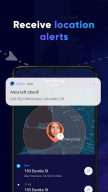
• Set safe zones, such as home and school, and restricted areas.
• Receive notifications when your child enters or leaves a designated location.
Panic Button – Emergency Assistance Feature
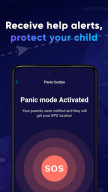
• If your child is in danger, they can press the panic button to send an immediate alert.
• Parents receive an instant notification of their child’s location.
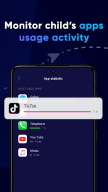
Check Installed Apps
• See which apps are installed on your child’s phone (with consent).
How to Get Started:
1. Install Eyezy on your phone and your child’s phone.
2. Link the devices with mutual consent.
3. Set up location tracking, geofencing, and alerts.
4. Stay informed and ensure your child’s safety.
Eyezy uses the AccessibilityService API strictly for the purpose of enhancing parental control and ensuring child safety. Specifically, it allows parents to monitor installed applications on the child’s device (with user consent) and provide notifications and alerts about potentially dangerous activities or applications. The AccessibilityService API is used only to enhance parental control and child safety. It is not used to change user settings without consent, record phone calls, or bypass Android privacy settings. The use of the AccessibilityService API is clearly disclosed here and within the app’s Privacy Policy. It is intended only to assist parents in ensuring the safety of their children by allowing visibility into the apps their children have installed and providing appropriate alerts if necessary.
Terms of Use: https://eyezyapp.com/terms.html
Privacy Policy: https://eyezyapp.com/privacy.html
For support, contact us at support@eyezyapp.com
Additional information
Screenshots



Reviews
Recommend Article










Similar Apps

3D Baby size, Fruit comparisons, Smart Checklist, Trending Names & Training.

Track contractions and baby movements with ease.

Pregnancy tracker, baby tips & a mom community you can truly trust

Your Parenting Companion - Baby Development, Breastfeeding & Milestone Tracker

Cherish every beat - capture your baby's heart sounds with our app

Securly Home keeps you informed about what your children are doing online.