

Android Auto

Hot Novels






Install Tips
Mobile safety & integrity report for the latest package. We provide verifiable checksums and a timestamped scan summary. Latest package Android Auto 15.6.654444-release scanned by multiple engines; no threats detectedas of Tue, 28 Jul 2026 11:52:58 GMT.
After downloading, use a system or third-party checksum tool to calculate the SHA256 and ensure it matches the value provided on this page (case-sensitive, without spaces).
Each engine uses different signature databases and heuristics, so results may vary slightly. We provide a timestamp and checksum to allow you to independently verify the package.
Android Auto Review
Android Auto is a smart driving companion designed to help users stay connected, entertained, and focused while on the road. It allows users to easily and safely access their favorite apps while driving, using voice commands and a simplified interface.
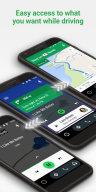
Users can access Android Auto simply by connecting their Android phone to their car's infotainment system using a high-quality USB cable. Once connected, Android Auto displays a simplified version of the user's phone interface on the car's display, making it easy to access apps and features with large on-screen buttons and clear, straightforward displays.
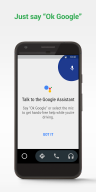
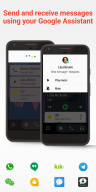
One of the key features of Android Auto is Google Assistant, which allows users to use voice commands to access features, make calls, send and receive messages, and more. Users can simply say "Ok Google" and then issue a command or ask a question, and the Assistant will respond with relevant answers or actions.
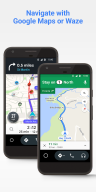
For example, users can ask the Assistant to provide directions using Google Maps or Waze with real-time GPS navigation and traffic alerts. The Assistant can also check the user's calendar, provide updates on the user's route or ETA, set reminders, and even read the news or upcoming sports scores.
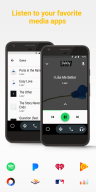
Android Auto also lets users manage their infotainment system in new ways, with support for a variety of music, radio, news, sports news, audiobook, and podcast apps, including popular options like Spotify, Pandora, and Amazon Music. Users can easily select their preferred app and control playback with intuitive on-screen controls.
To avoid distractions while driving, Android Auto allows users to set a custom "Do Not Disturb" message that will be automatically sent to incoming calls and messages while driving. Once the user has arrived at their destination, any missed calls or messages can be easily accessed through Android Auto.
Over 400 car models now support Android Auto, and users can check their owner's manual or contact their manufacturer to see if their car is compatible. With an active data connection and a phone running Android 6.0 or higher, users can use Android Auto to stay connected and entertained while staying focused on the road ahead.
Additional information
Screenshots
Reviews
Recommend Article










Similar Apps
Lookup license plates and VINs. Find vehicle owner details securely and fast!

Better fuel to help keep you on the road

Boost profits and hit your goals faster with GigU's amazing tools for gigworkers

NAPA PROLink, get NAPA AUTO PARTS fast! Run your shop like a PRO. Scan & search!

Secure and convenient payment app for Gulf regions.

Pumping and removal of concrete products