

Alli360 by Kids360

Hot Novels






Install Tips
Mobile safety & integrity report for the latest package. We provide verifiable checksums and a timestamped scan summary. Latest package Alli360 by Kids360 2.69.0 scanned by multiple engines; no threats detectedas of Tue, 28 Jul 2026 11:52:50 GMT.
After downloading, use a system or third-party checksum tool to calculate the SHA256 and ensure it matches the value provided on this page (case-sensitive, without spaces).
Each engine uses different signature databases and heuristics, so results may vary slightly. We provide a timestamp and checksum to allow you to independently verify the package.
Alli360 by Kids360 Review
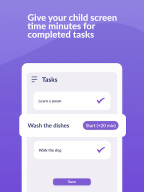
Alli360 — is a service that helps parents to set time limits for children in entertainment applications and games
The Alli360 app complements the “Kids360 for parents” app and must be installed on the device the teen is using
This app provides you with the following options:
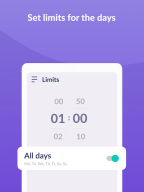
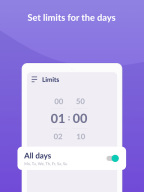
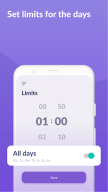
Time limit
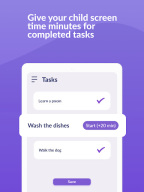
- set a time limit for specific applications and games your teens uses
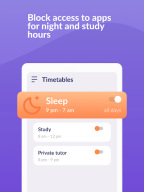
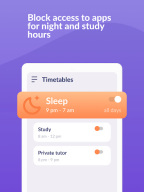
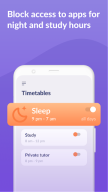
Schedule
- set schedules for school time and rest in the evening: games, social networks, and entertainment apps will not be available during the specified time
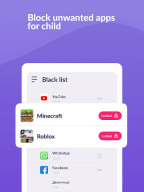
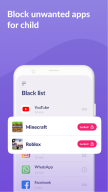
List of applications
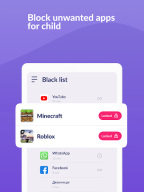
- select applications you want to limit or block completely
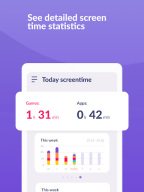
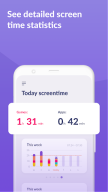
Time spent
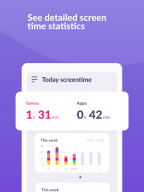
- see how much time your teen spends on their smartphone and identify their most used applications
Always keep in touch
- applications for calls, messages, taxis, and other non-entertainment applications will always be available and you will always be able to contact your school student.
The “Kids360” app is designed for family safety and parental control. Thanks to the application tracker, you will always know how much time teen is spending on their smartphone. The app cannot be installed on the cell phone without your child’s knowledge, its use is available only with the explicit consent. Personal data is stored in strict accordance with legislation and GDPR policies.
How to start using the "Kids360" app:
1. Install the “Kids360 for parents” app on your mobile device;
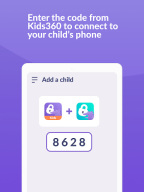
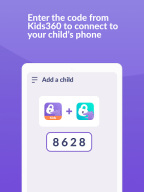
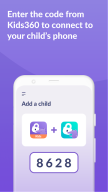
2. Install the “Kids360” app on your teen's phone and enter the link code with the parental device;
3. Allow monitoring of your teenager's smartphone in the app.
In case of technical problems, you can always contact the 24-hour support service in the app or via the following email support@kids360.app
You can monitor your time on the smartphone for free after connecting second device. Time management functions in applications are available during the trial period and by purchasing a subscription.
The app asks for the following permissions:
1. Display over other apps - to block applications when time limit rules occur
2. Accessibility services - to limit time at the smartphone screen
3. Usage access - to collect statistics about the application uptime
4. Autostart - for constant operation of the application tracker on the device
5. Device admin apps - to protect against unauthorized deletion.
Additional information
Screenshots




Reviews
Recommend Article











Similar Apps

Track your pregnancy & your baby's growth in 3D. Get support from our community

Pregnancy Tracker and Baby: Week-by-week Pregnancy Information

Family Tracking App: Screen Time, Location Tracker & Website Filter

Monitor loved ones and smart devices securely via your Android device.

Streamline co-parenting with schedules, expenses, and secure chats.

Personalized bedtime stories, books, and audio books for kids